

WP User Frontend integration with Elementor
We’ve introduced one of the most highly requested integrations from our users: seamless compatibility between WP User Frontend and Elementor.
With this integration, you can now effortlessly build and display post forms, user profiles, and subscription plans directly within your Elementor-designed pages. This means you no longer need to rely on separate layouts or shortcodes. Everything can be visually designed and managed in one place.
First, add a new page from your WP Admin dashboard >> Pages >> Add page
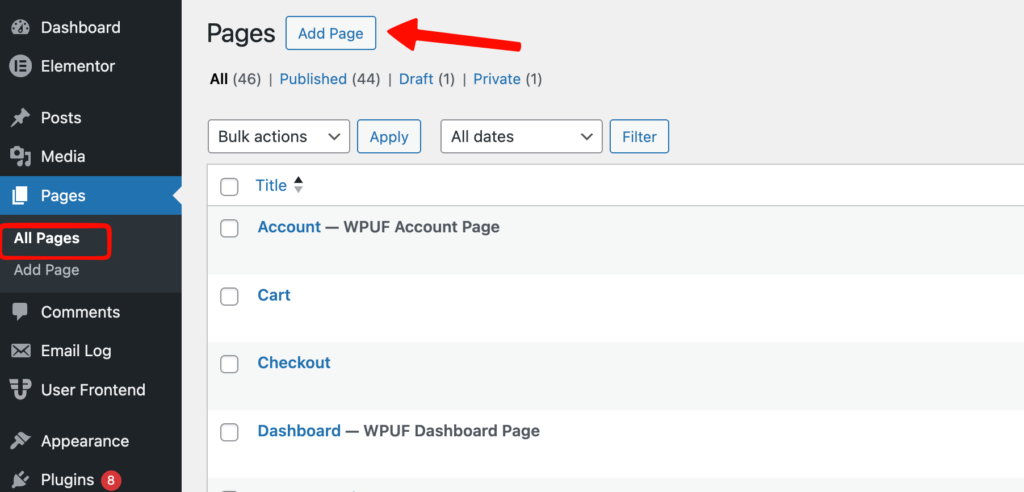
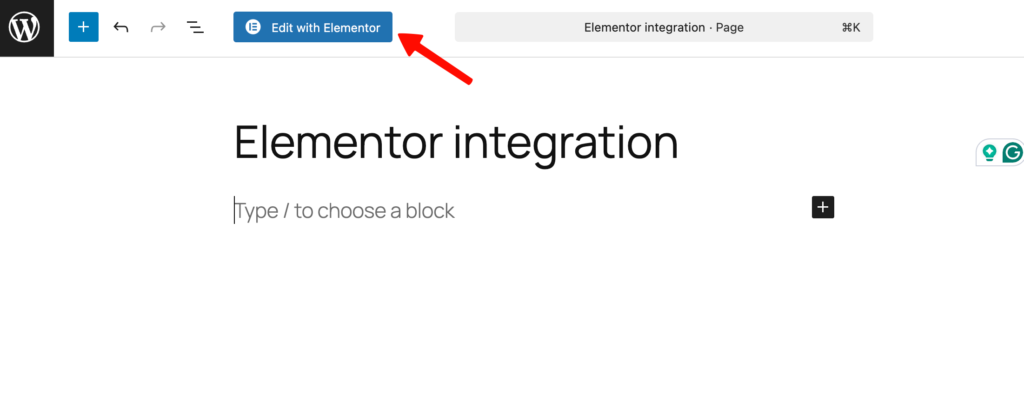
Then add a new page and edit it with Elementor
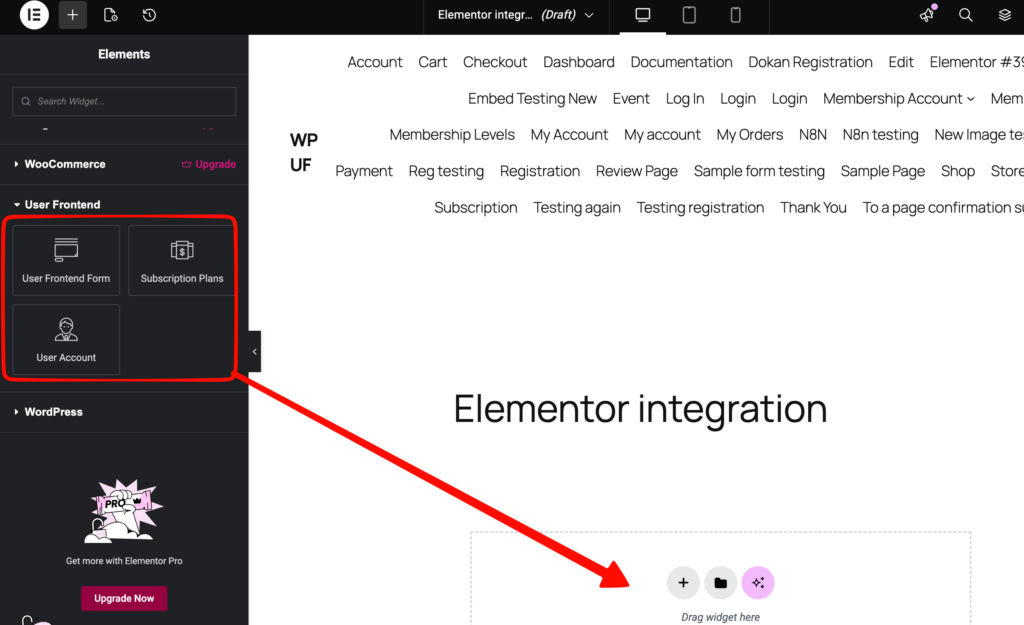
Scroll down to User Frontend under the widgets tab and choose User Frontend Form/Subscription Plans/User Account, drag and drop to the page.
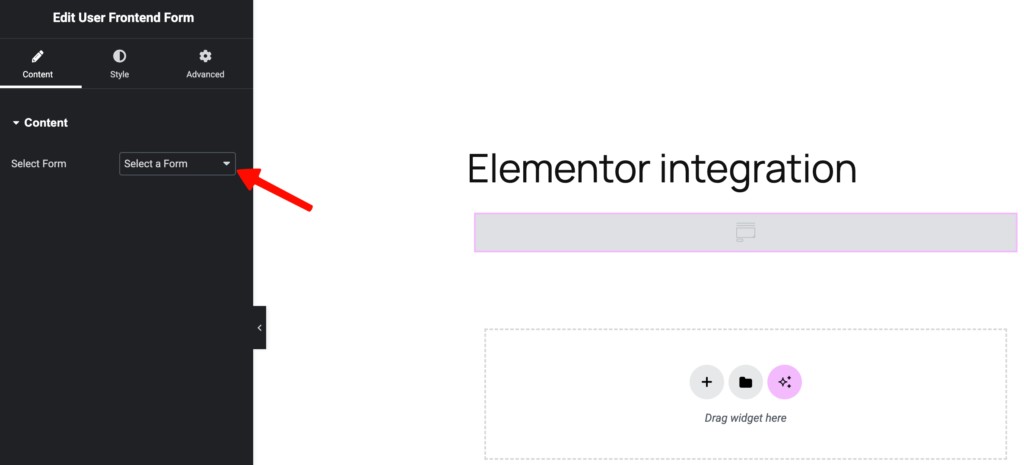
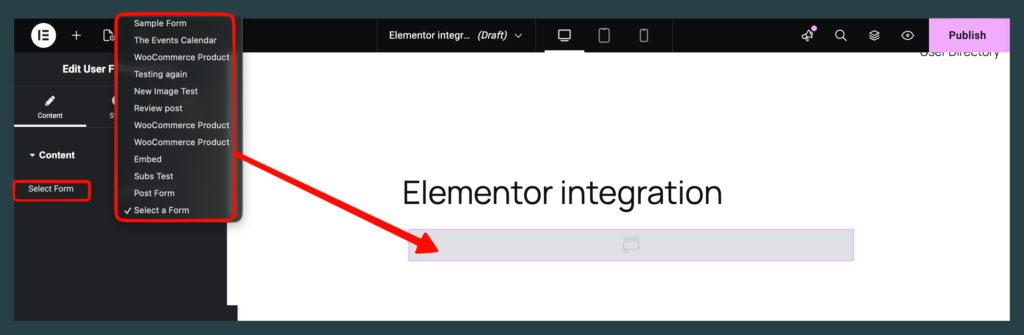
Drag the User Frontend Form and select the pre-created form from the dropdown.
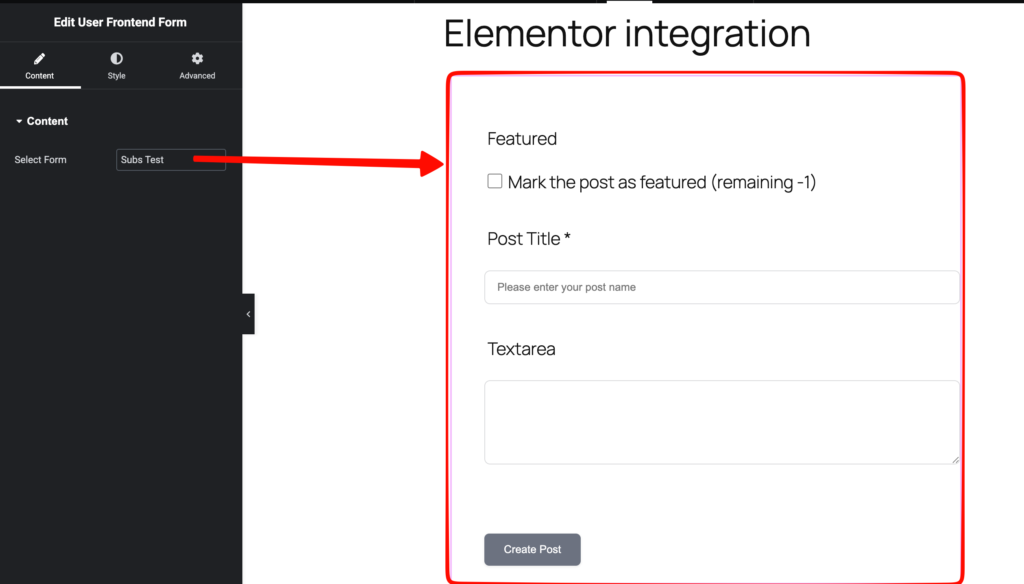
After choosing a form, it will show up on your page.
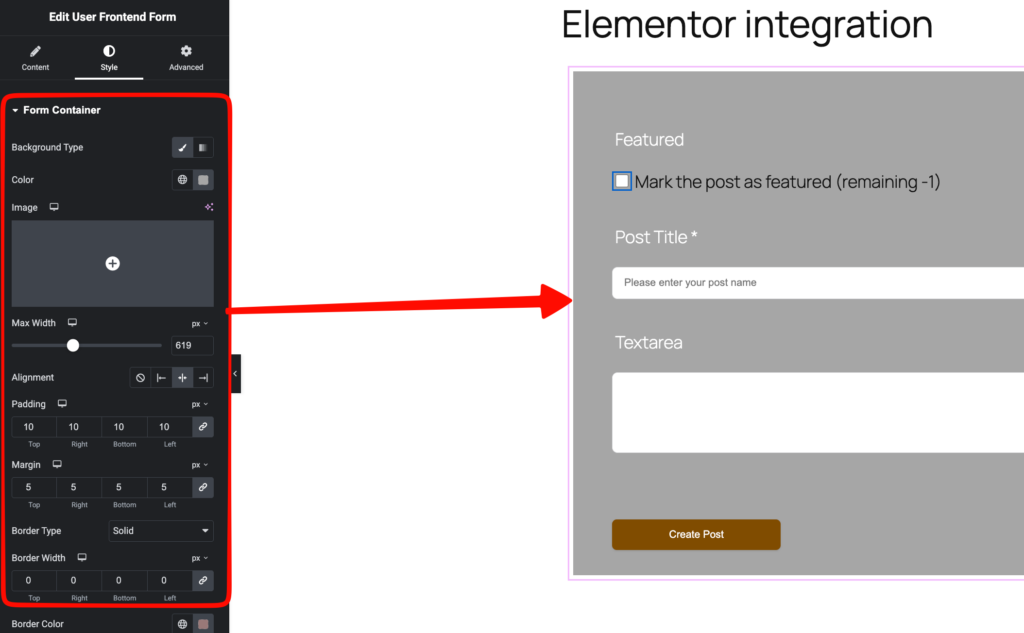
Now, click on the Style tab to make some customisation for Background color, Max width, Padding, Margin, Border Width etc.
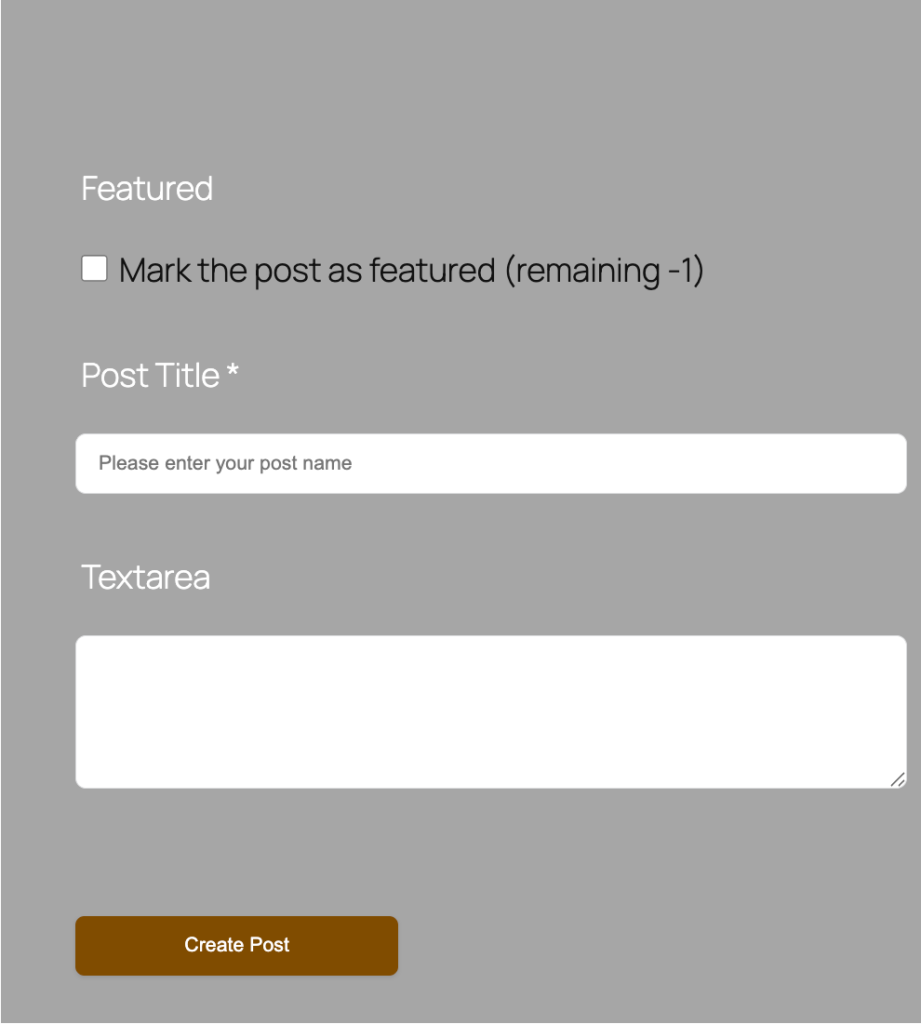
Then publish and view the page
You can also create Frontend User Profiles and Subscription plans in the same way.