

How to Create Discount Coupons
Coupons are a very good way to impress and attract your customers. WP User Frontend Pro has features to create and manage coupons for your subscription packs.
In this documentation, we will explore the coupon management feature of WP User Frontend Pro.
Creating Coupons
Section titled “Creating Coupons”- To create a coupon for your subscription packs, navigate to WP-Admin → User Frontend → Coupons
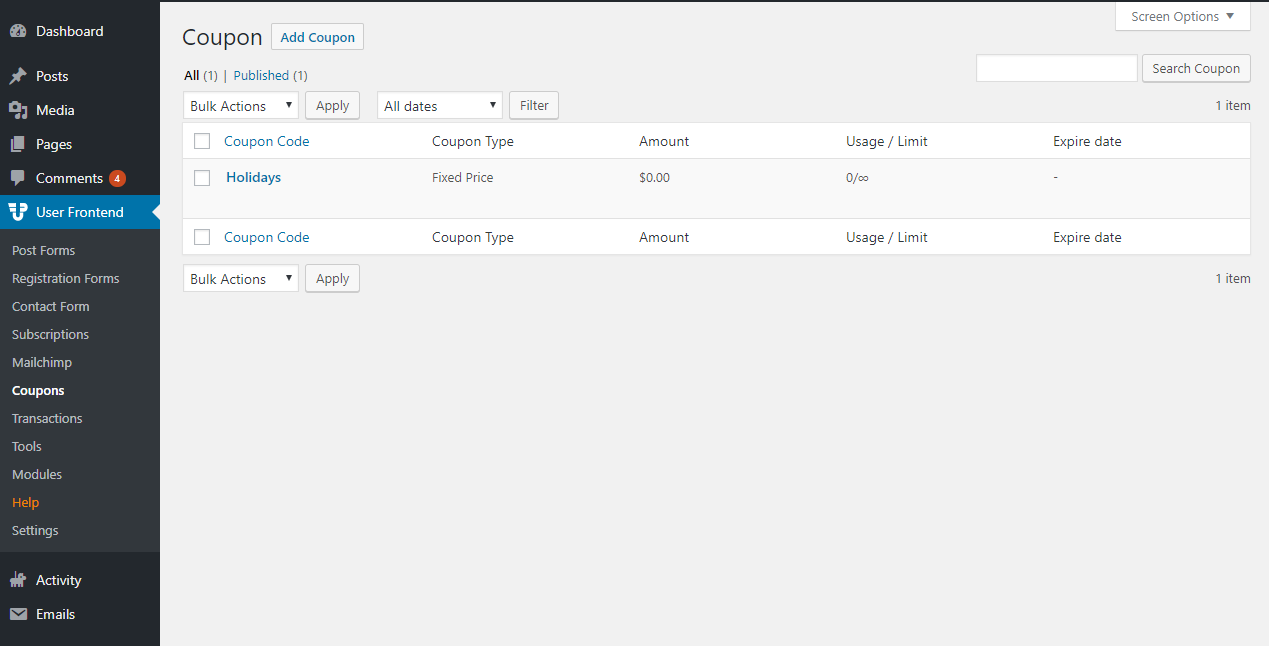
- You will see an Add Coupon button. Click on the button, and it will take you to the coupon creation form.
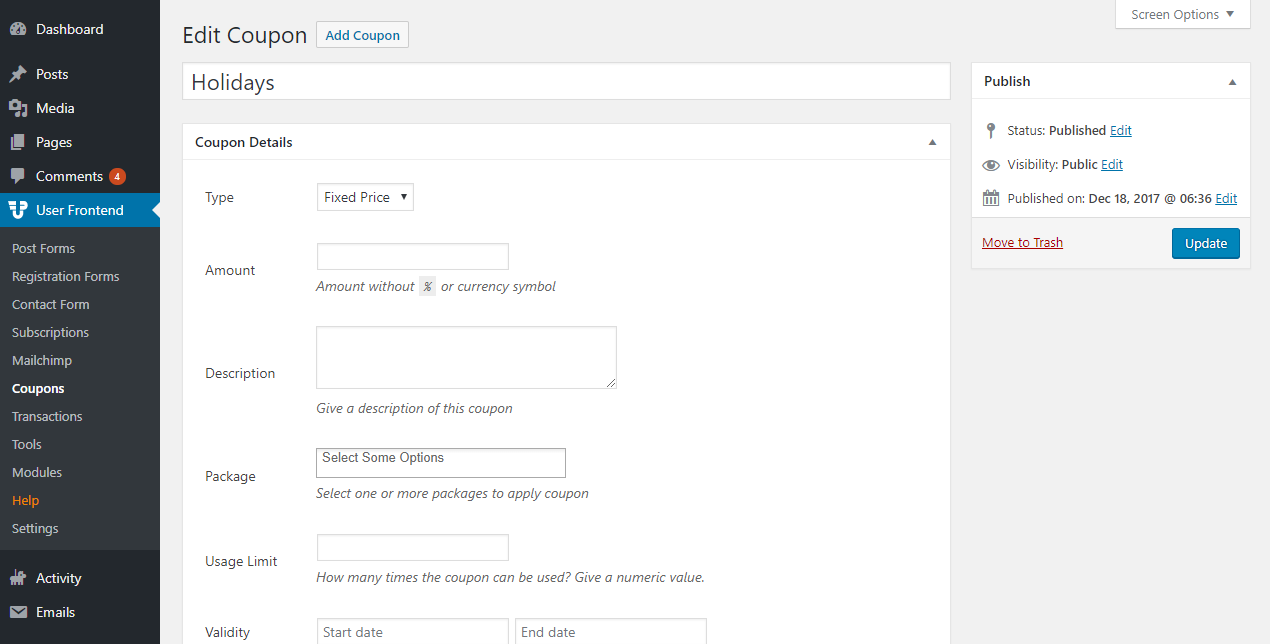
Enter the coupon name, type, and amount. You can select either a percentage or a fixed amount as the coupon type.
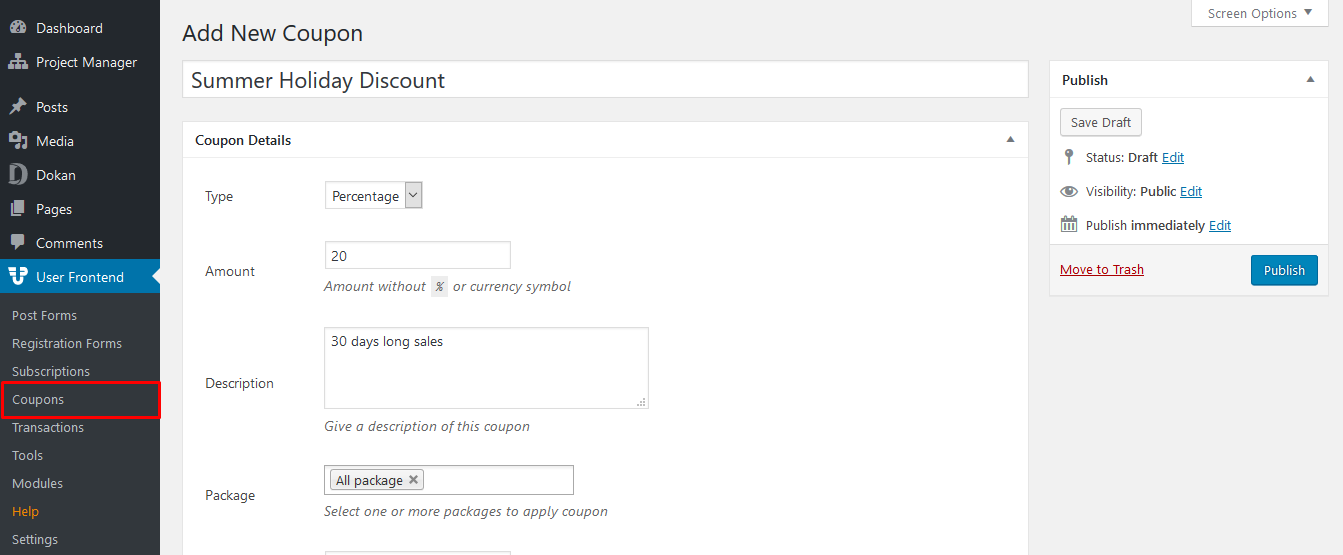
You can also include a description of your coupon so that you can specify the use of this coupon.
Now, you have to include the subscription packages you want to include in this coupon. You can select more than one package if you want.
You can specify the usage limit. To do so, enter a numeric value into the Usage Limit field.
The validity field should be filled up so that you can set the expiration date of the coupon.
The email restriction field allows you to include emails that will be able to use this coupon. You have to include one per line.
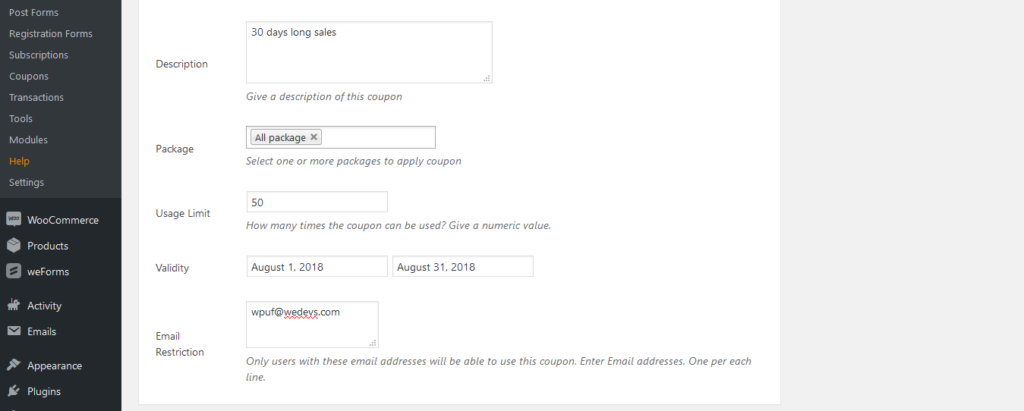
Click on Publish to start using the coupon on your WordPress site.
Deleting a Coupon
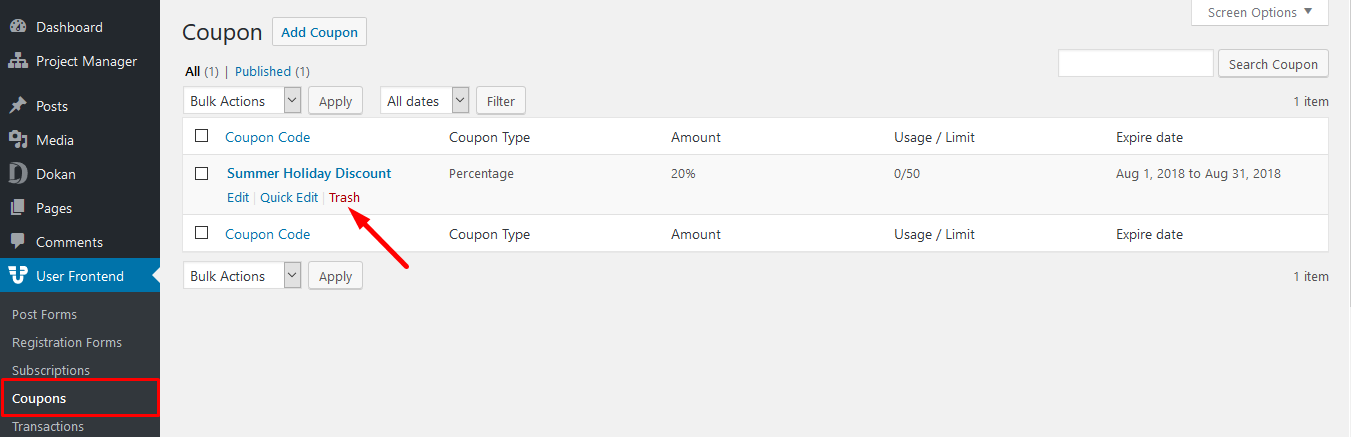
Section titled “Deleting a Coupon”You can delete a coupon if required. Just hover over the coupon, and you will see three (3) options. Just click on the trash button, and your coupon will be removed from the list.
User Guide: Using Coupons While Purchasing
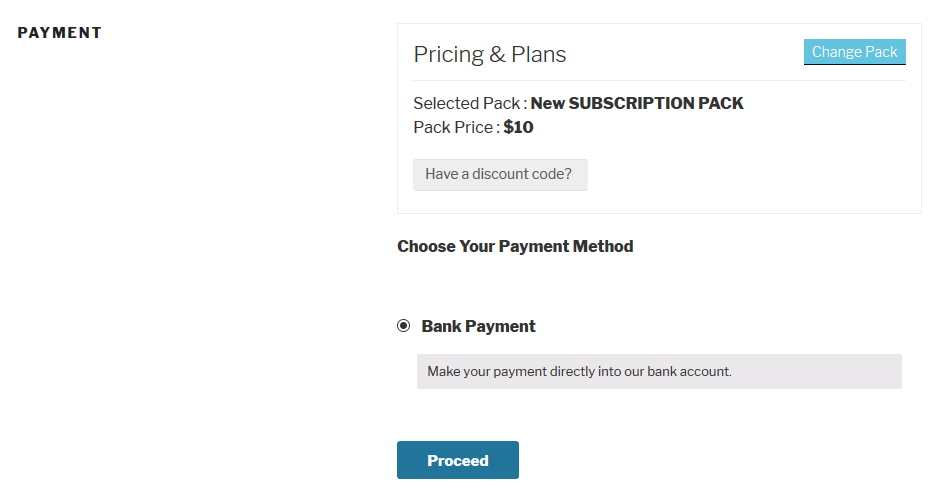
Section titled “User Guide: Using Coupons While Purchasing”To use a coupon while buying a subscription, click on the “Have a discount code?” button on the Payment page.
Now, enter the coupon code, and the price of the subscription pack will be reduced according to the coupon's discount.
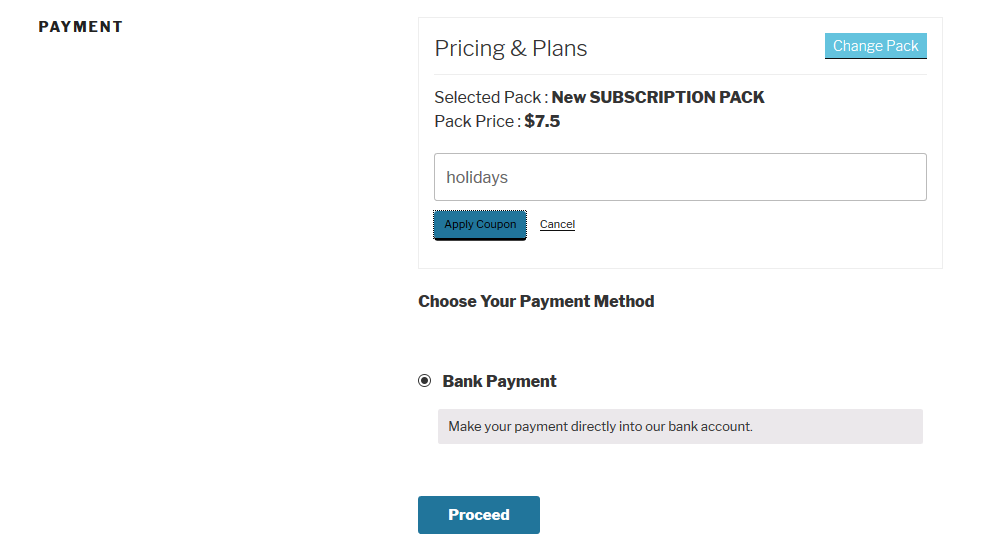
Finally, click on the Proceed button to complete your purchase using the coupon code.