

How to Activate WooCommerce Conversion Tracking Pro License
To activate WooCommerce Conversion Tracking to Pro version, you will need to enter your email address (which was used to buy the license key) and the WooCommerce Conversion Tracking license key as well.
Navigate to WP Admin Dashboard → WooCommerce → Conversion Tracking → License.

Enter the License Key and the E-mail Address you used to buy the License key.
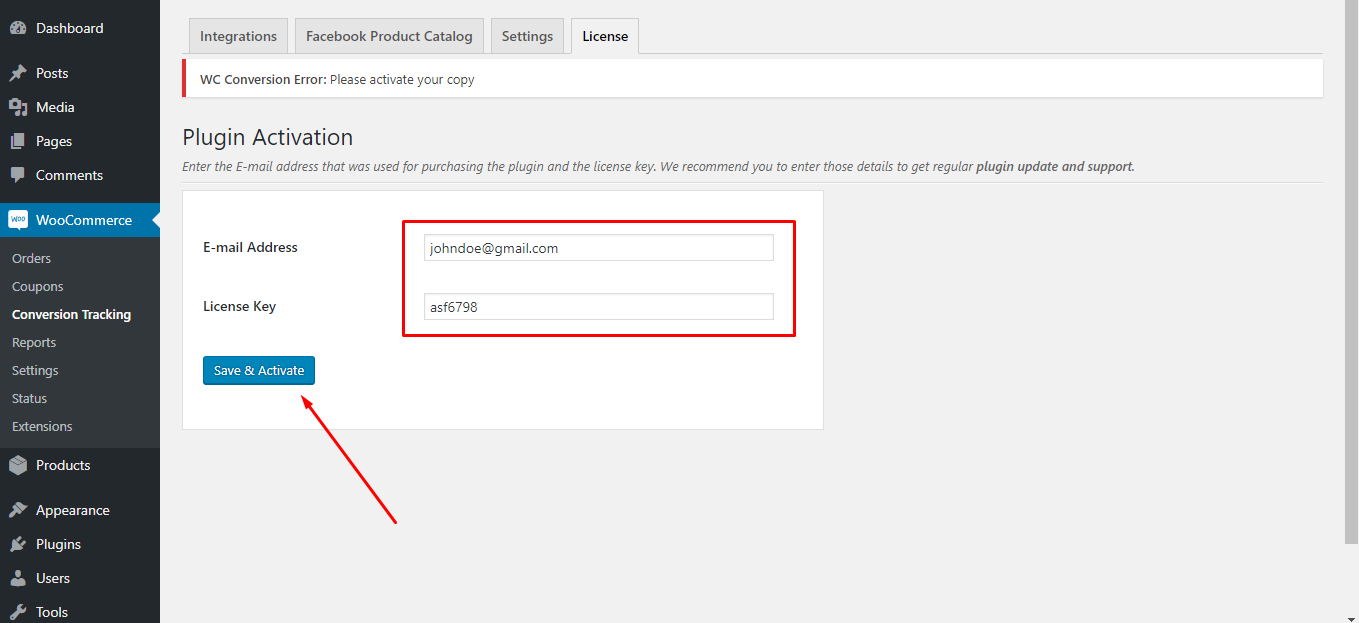
After filling out these two fields hit Save and Activate button and you are done with activating the pro version.