

How to mark a project as My Favourite
With WP Project Manager Free, you can mark a project as a favourite.
- To do this, navigate to wp-admin→Project Manager→Projects.
- Click on the Star mark located on the top right of a project to mark it as favourite.
- When you click on the Star, the project will move to the first, if it isn't already.
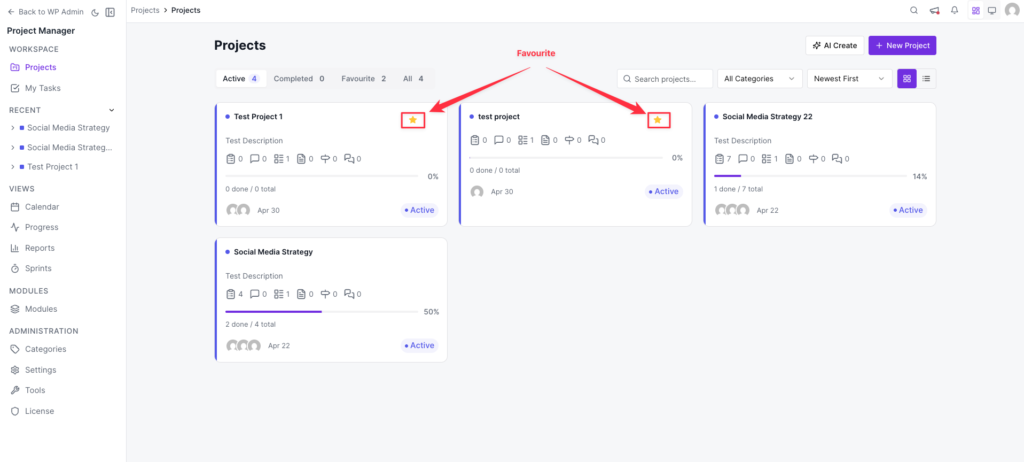
In this way, your favourite projects will remain at the top of all other projects so it's easily viewable and accessible for you.