
Activities
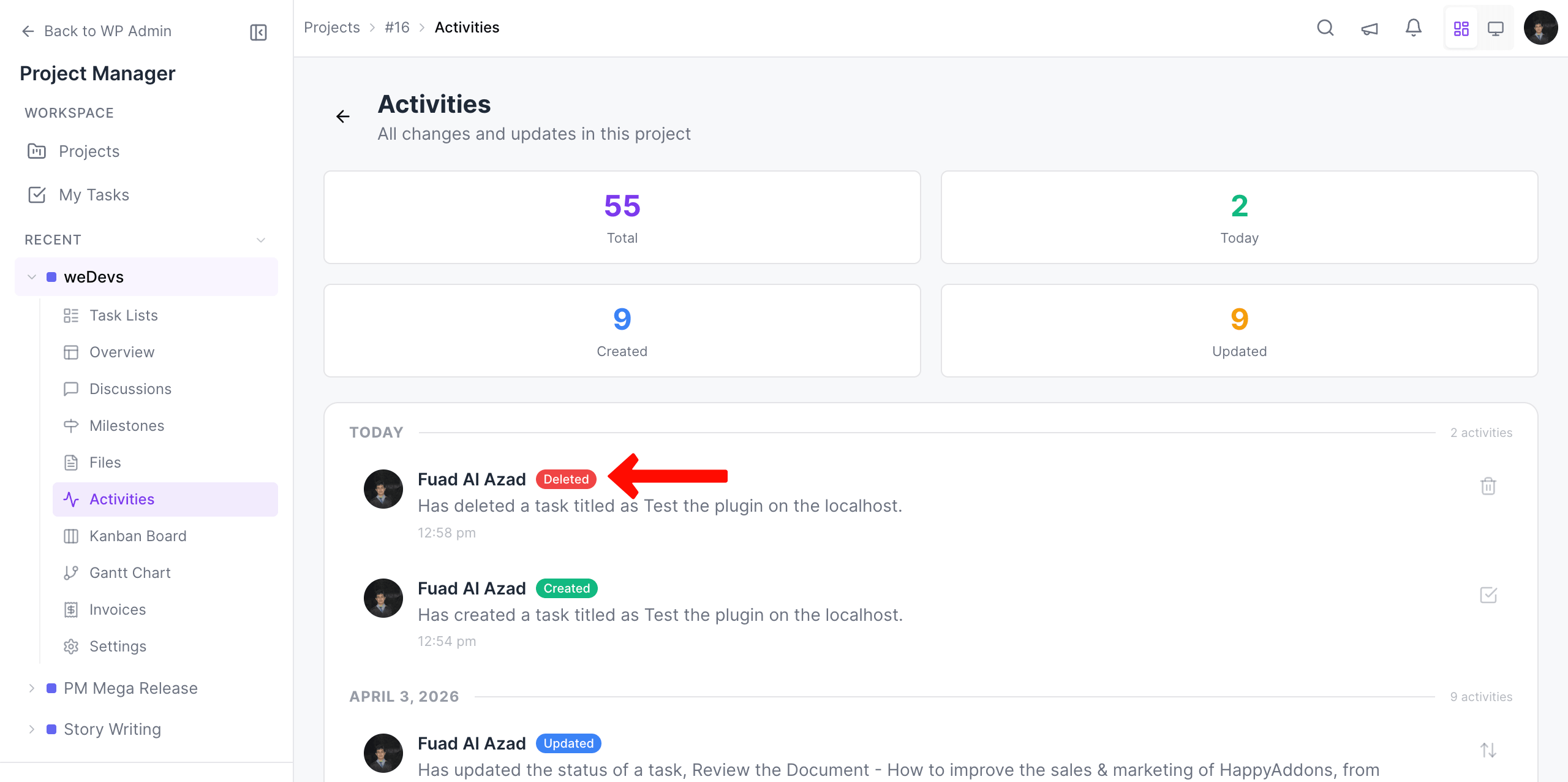
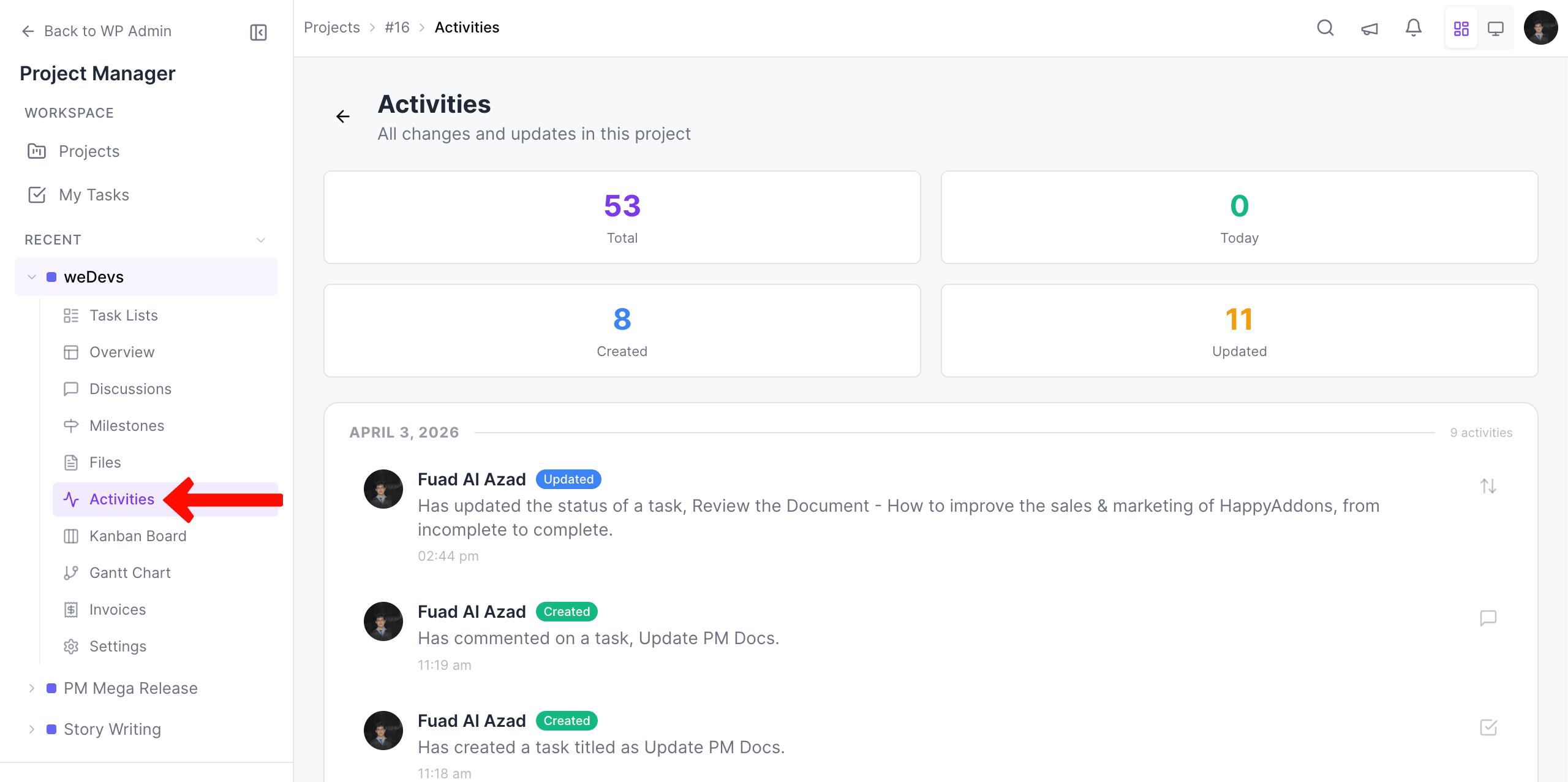
The activities page displays all the actions (like task list creation, task creation, completion, etc.) in a chronological manner and date-wise. The items are clickable. Here is how it looks:
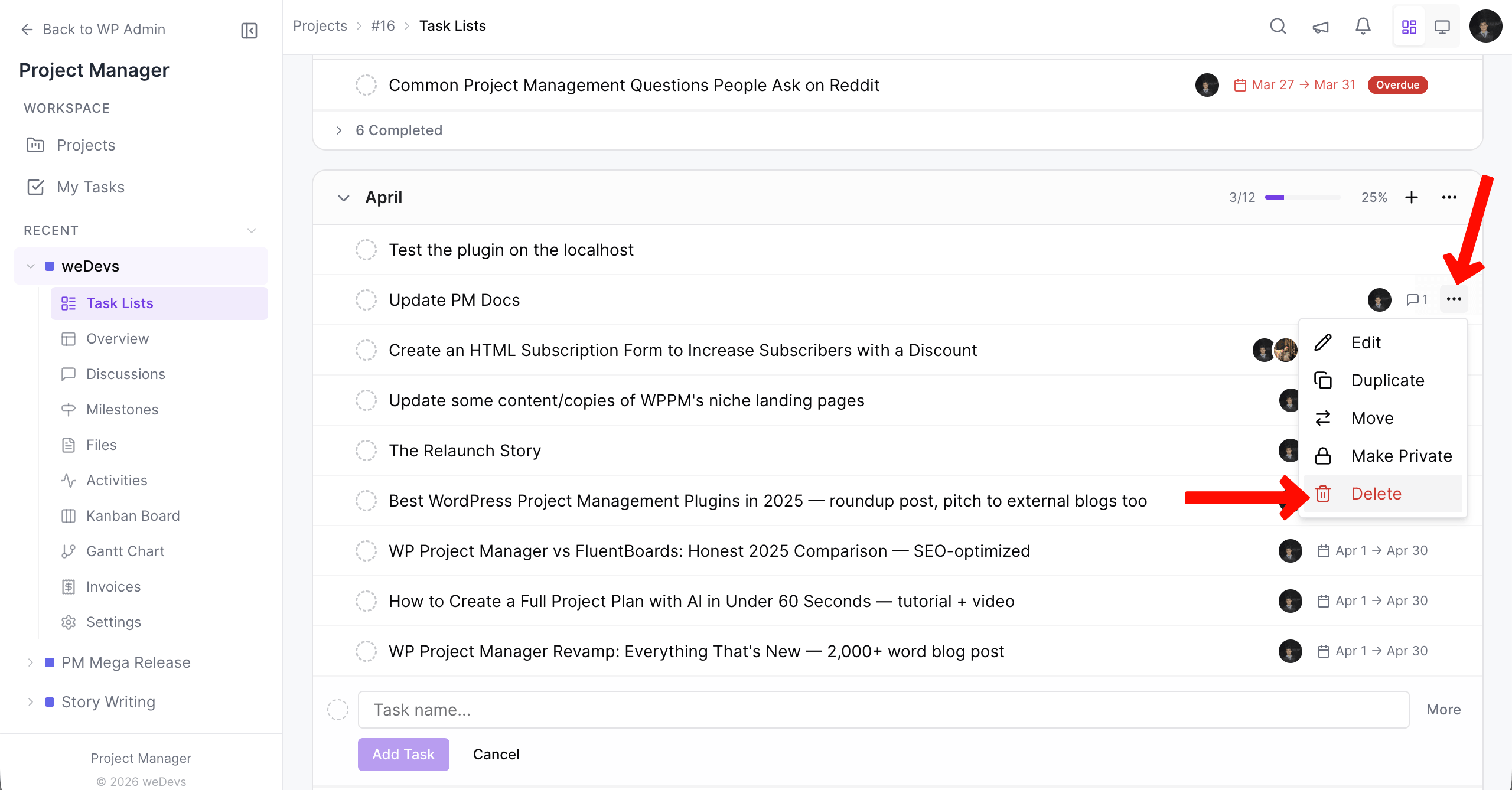
For example, when you delete a task, the activity will appear in the Activities log.
The deleted task log will appear in both the Activities section of My Tasks and in the main Project.
My Tasks Activities: