
Paid Membership Registration
If you want to charge your users while registering, then you have to configure the following options:
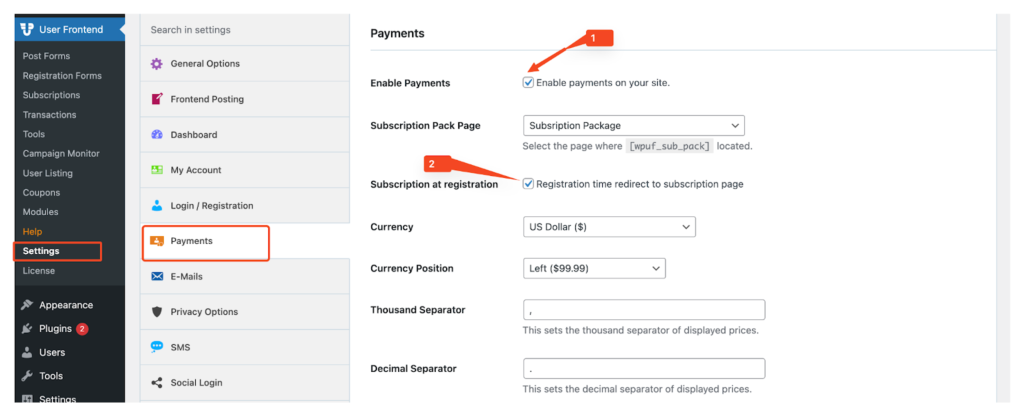
1. Navigate to wp-admin > User Frontend > Settings > Payments > Enable Payment, check “Enable Payments on your site”
2. Enable Subscription at registration option too. Then click on “Save changes”.
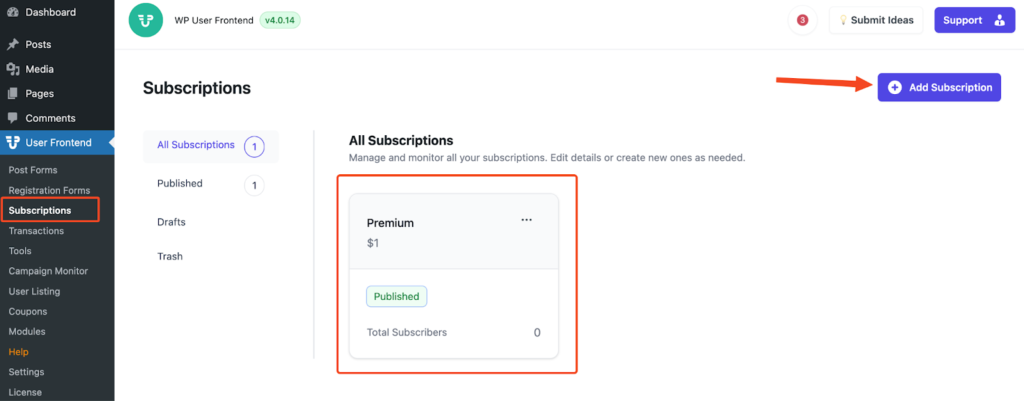
3. Create a subscription pack from User Frontend > Subscription > Add Subscription
4, Navigate to User Frontend > Registration Forms, create a new registration form. Copy the form shortcode.
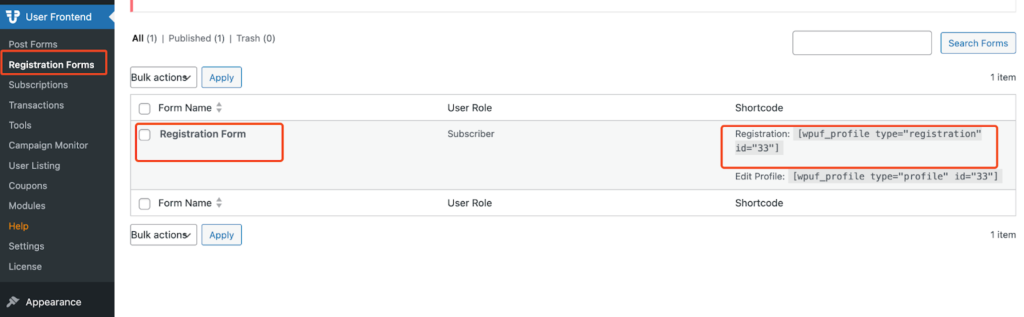
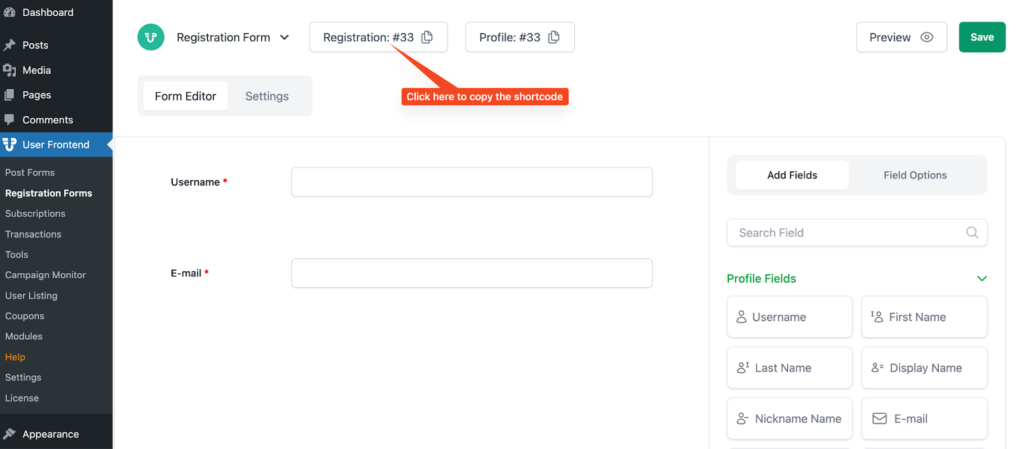
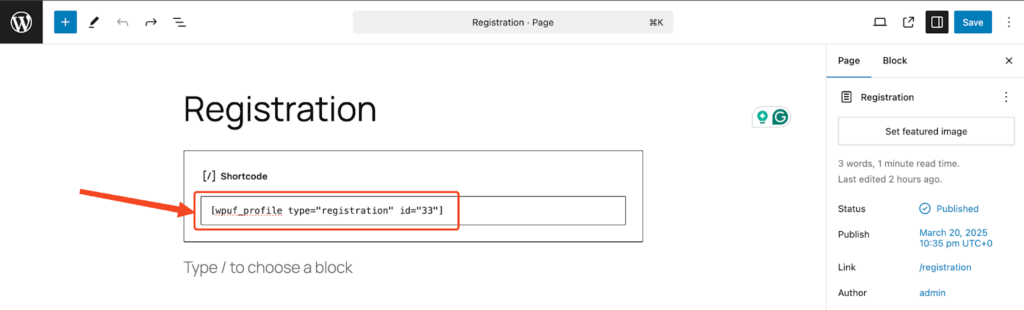
5. Create a new page, paste the registration form shortcode in the editor and save the page.
6. Go to User Frontend > Settings > Login/Registration, select the page you created as Registration Page
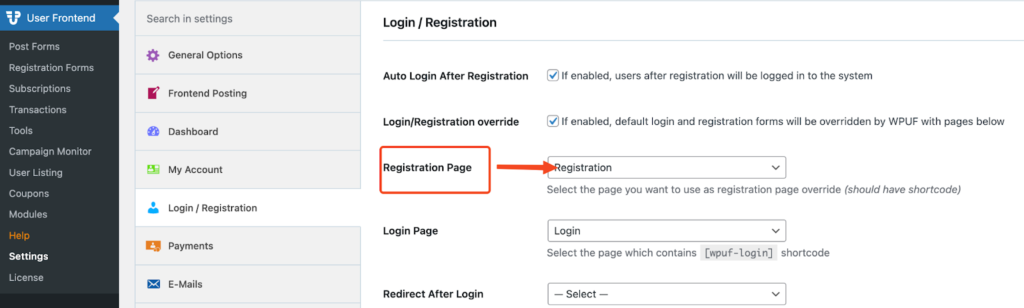
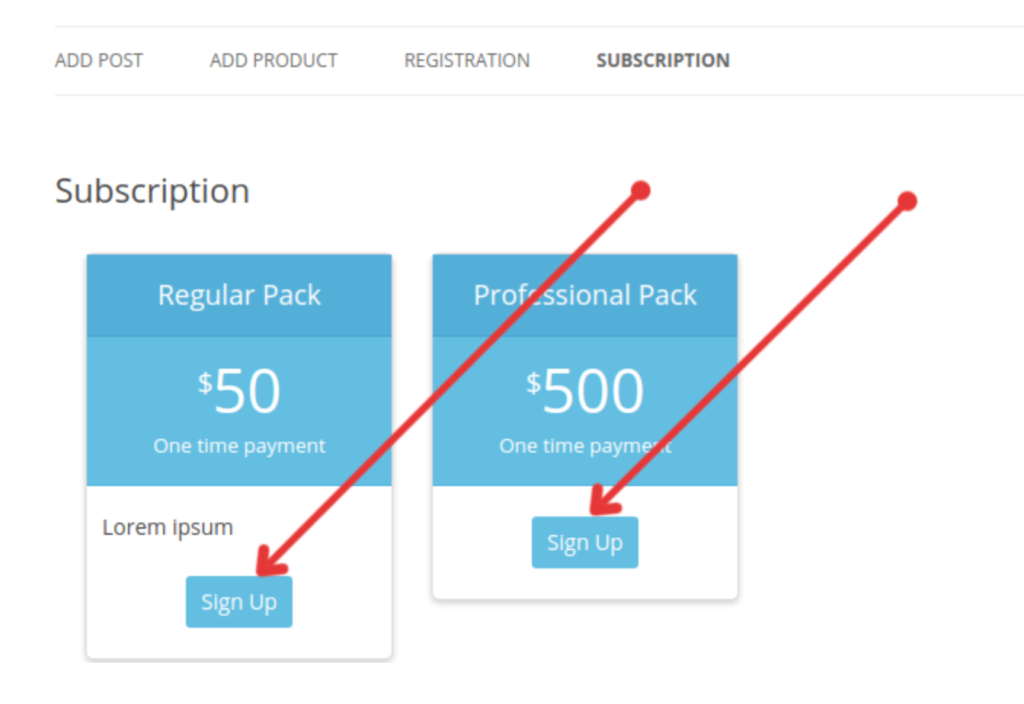
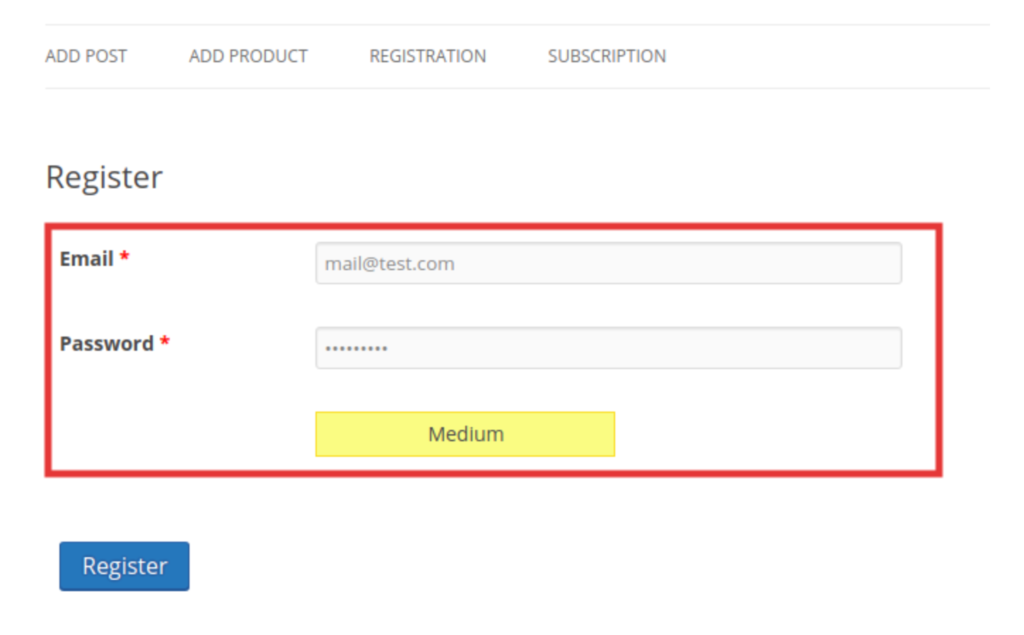
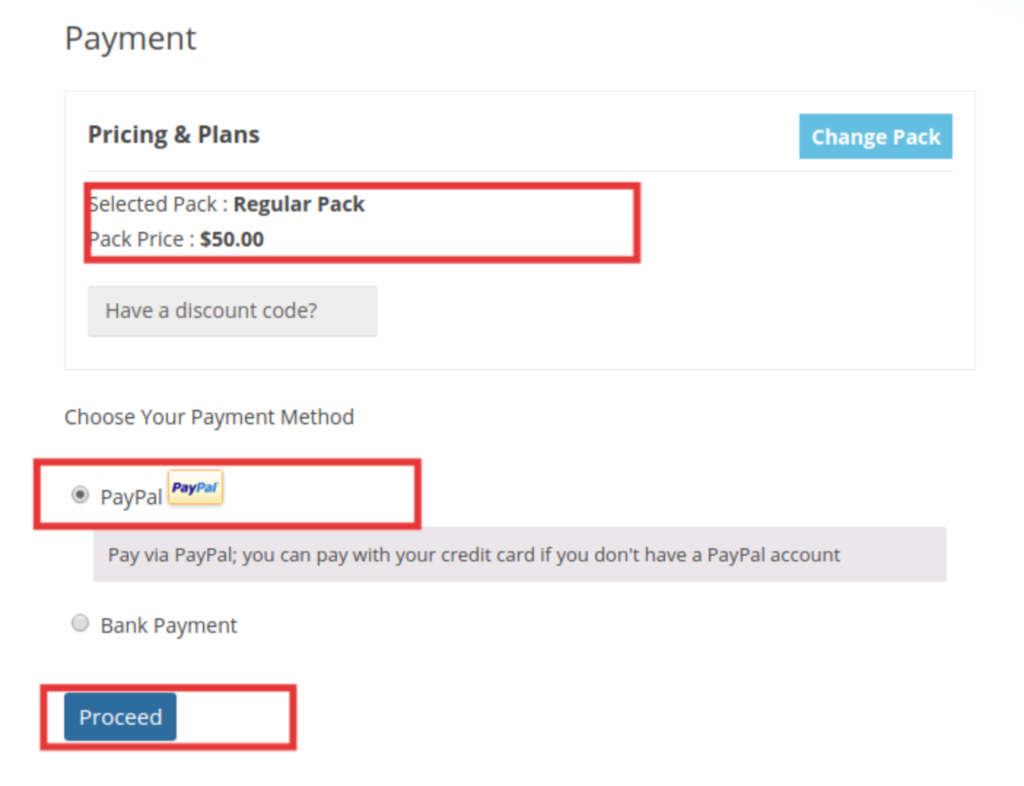
7. Now, you have the configuration to force your users to purchase subscription. When a logged out user browse registration page it will redirect to subscription page instead of showing registration form, after completing the signup process user have to purchase subscription pack accordingly. Without purchasing subscription pack the signup process will not complete.