

Best WordPress Task Management Plugin for Project Workflow
Managing multiple projects at the same time is nearly impossible with just spreadsheets when tasks are scattered across emails, chat apps, and notebooks. Some try using traditional notebooks to save money, but this often frustrates clients and costs more than expected.
For agencies, startups, or remote teams, a proper task management tool is essential to stay organized and productive. It saves time, reduces confusion, and brings clarity. But with so many task management tools available, choosing the right one can feel overwhelming.
WordPress is not just a content management system for building websites. It can also handle project workflows and task management. In this post, we’ll introduce a feature-rich plugin that helps you manage complex projects smoothly on WordPress.
What Is a WordPress Task Management Plugin?
A WordPress task management plugin is a tool that helps you organize and manage all your projects directly inside your WordPress dashboard. It allows you to create tasks, assign team members, and track progress easily without switching between multiple apps and tools.
WP Project Manager is such a plugin. With this plugin, you can create task lists and set deadlines, milestones, and priorities for every project. It keeps your team on the same page, improving collaboration and reducing miscommunication.
These plugins often include features like Kanban boards, time tracking, file sharing, and notifications. They are perfect for businesses, freelancers, and agencies that want to streamline workflows and ensure tasks are completed efficiently.
Why Do You Need a Task Management Software for Your Business?
Running a business without a clear system can quickly create confusion. Tasks get lost, deadlines slip, and team members feel stressed. Task management software helps you stay organized, improve teamwork, and manage projects professionally.

- Centralized Workflow
A centralized workflow keeps all your tasks, files, and discussions in one place, instead of switching between emails, chat apps, and spreadsheets. This reduces confusion, saves time, and helps everyone clearly see what needs to be done next.
Check how to simplify a complex project using the Gantt chart.
- Team Collaboration
Strong team collaboration becomes easier when everyone can see their assigned tasks and project goals. Team members can leave comments, share files, and update progress in real time. This creates transparency and a strong sense of accountability.
- Deadline Tracking
Deadline tracking is very important for any growing business. With Task Management Software, you can set due dates, create milestones, and monitor progress visually. It sends reminders and alerts to delays early, so you can take action before any issue arises.
- Client Communication
Client communication becomes more organized when you manage projects through a proper system. You can share updates, attach documents, and show progress without long email threads. This builds trust with clients, improves team communication, and makes your business look more reliable.
- Real-Time Updates
Real-time updates help you stay aware of what is happening inside your projects at any moment. When a task is completed or changed, the system updates instantly. This allows managers and team members to react quickly and keep the workflow moving smoothly.
Key Features to Look for in a WordPress Task Management Tool
Before choosing a WordPress Task Management Tool, you need to understand which features truly matter. The right features will help you manage projects smoothly and improve team performance. Below are the most important functions you should always look for.

a. Task Creation and Assignment
A good task management tool should allow you to create tasks quickly and assign them to specific team members. You should be able to add task descriptions, sub-tasks, priorities, and due dates. Otherwise, it will be impossible to remove confusion from the workplace.
Check what the task vs sub-task is if you are still confused.
b. Project Milestones and Deadlines
Milestones help you break a big project into smaller goals. With proper deadline settings, you can track progress step by step. This feature keeps your team focused and helps you complete projects on time without last-minute pressure or chaos.
c. Kanban Board and List View
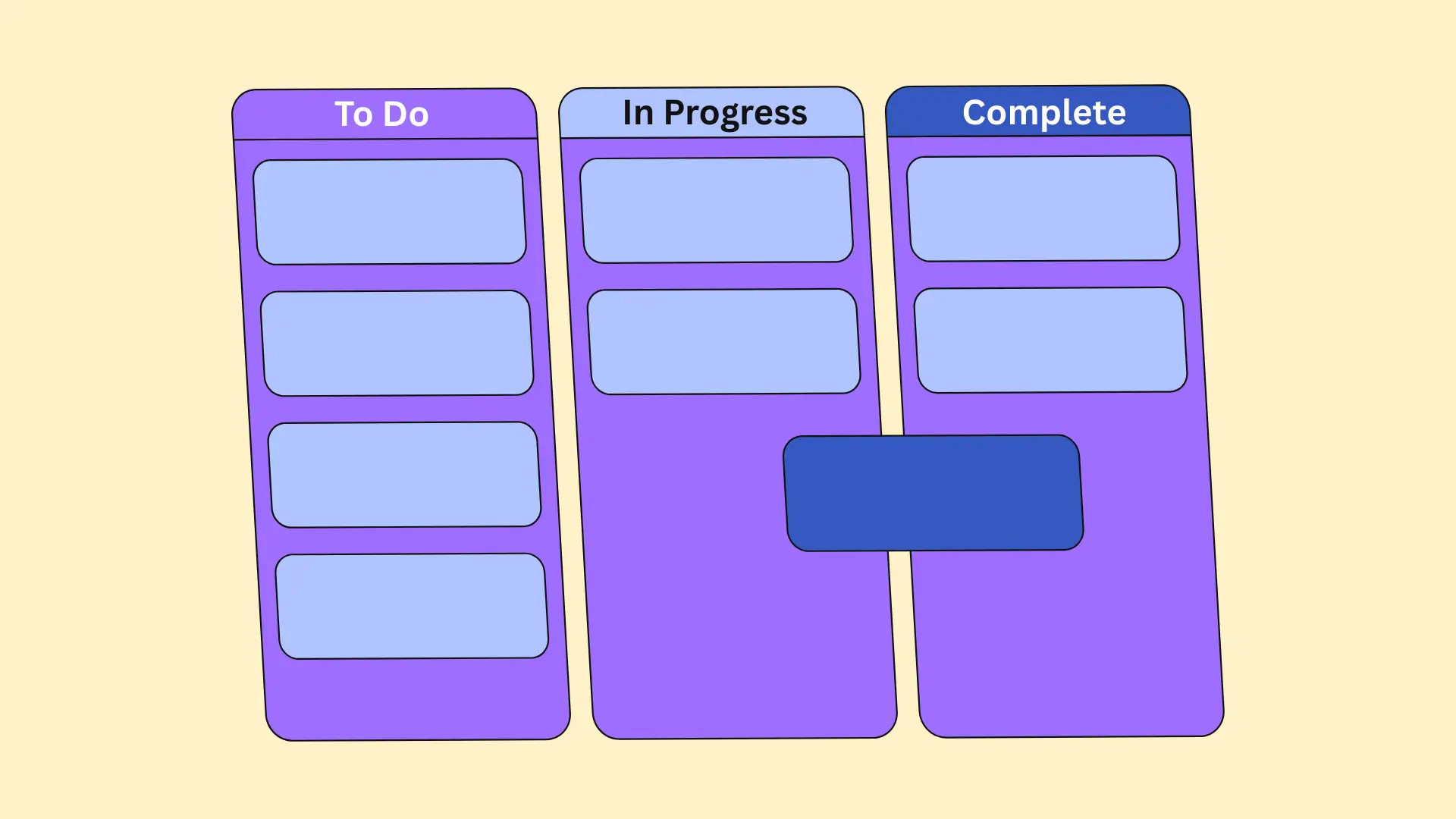
Visual task management makes work easier to understand. A Kanban board shows tasks in columns like To Do, In Progress, and Completed. List view gives a structured layout of all tasks. Both views help teams track progress clearly and manage workflow better.
d. Time Tracking System
A built-in time tracking system helps you measure how long each task takes. This is useful for agencies, freelancers, and remote teams. It improves productivity, helps in billing clients correctly, and shows where time is being spent the most.
e. File Sharing and Comments
Team members often need to share documents, images, or links related to tasks. A strong file-sharing and comment system keeps all discussions inside the project. This avoids long email chains and keeps every important detail connected to the task.
Explore this post on the best WordPress plugin to manage project files.

f. User Roles and Permissions
Not every team member should have the same level of access. User roles and permissions allow you to control who can edit, view, or manage projects. This protects sensitive data and ensures better project control within your organization.
g. Integration with Other Tools
A powerful WordPress Task Management Tool should connect with other tools you already use. Integration with email, calendar, CRM, or accounting software saves time and reduces manual work. It helps you build a smooth and connected workflow system.
WordPress Task Management vs SaaS Task Management Tools
WordPress task management plugins work inside your own website. SaaS task management Tools run on external servers. Both help you manage tasks well, but they differ in key ways. The table below shows real differences that affect your workflow, cost, control, and growth.
| Feature | WordPress Task Management | SaaS Task Management Tools |
|---|---|---|
| Data Ownership | ✅ Your data stays on your own site and server. You control privacy and backups. | ⚠️ Data stays on a third-party server. You depend on their policies and access rules. |
| Monthly Cost Comparison | ✅ Mostly charge a flat price, and it doesn't change even if you add more members to the team. | ⚠️ Monthly bills can rise with more users and features. Long-term cost can be higher. |
| Customization Flexibility | ✅ Highly customizable to match your workflow inside WordPress. You can change the layout and functions. | ⚠️ Limited customization. You follow the provider’s set framework and updates. |
| Scalability for Agencies | ✅ Grows with your hosting and setup. Works for many projects if the hosting power is strong. | ✅ Scales easily with users and teams without worrying about hosting. But costs grow with scale. |
| Branding & Client Sharing | ✅ You can white-label and show clients inside your own site. Builds a stronger professional brand. | ⚠️ Branding is fixed, and clients see the SaaS platform logo and style. |
| Offline & Local Control | ✅ Works even in limited internet conditions if configured well on your server. | ⚠️ Requires a stable internet connection always. No local control of performance. |
Meet WP Project Manager – A Complete WordPress Task Management Plugin
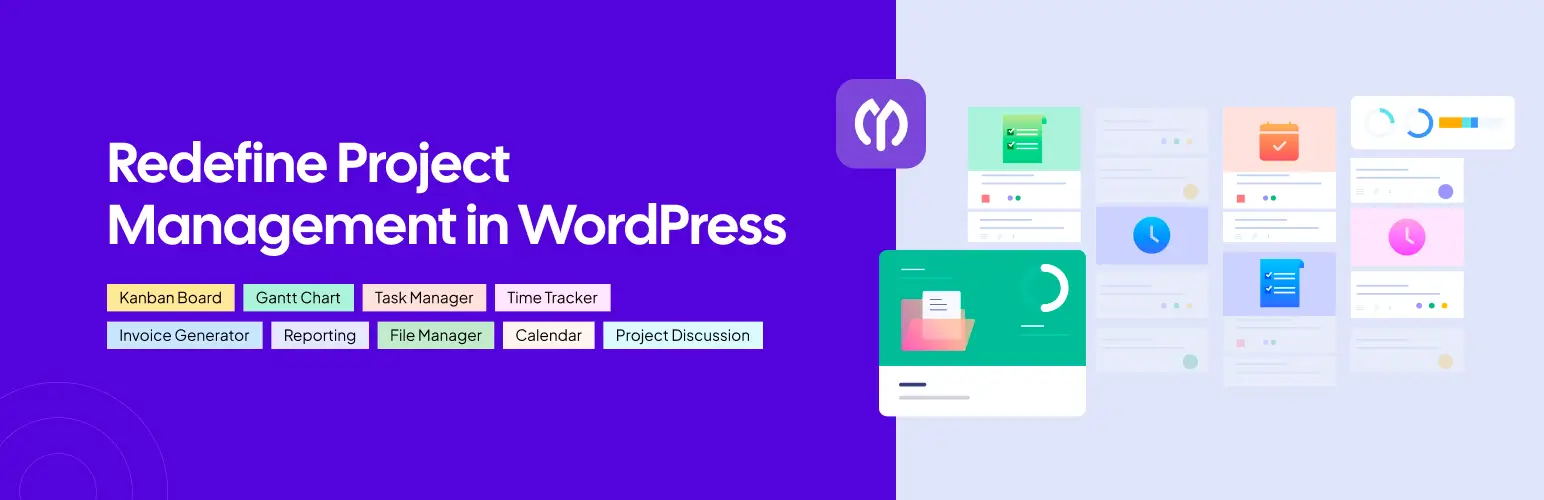
As already said, managing a project workflow becomes much easier when you have the right task management tool at hand. WP Project Manager is such a tool you can consider using. It gives you full control over your workflow by allowing you to create task lists, subtasks, plan, and assign them to users without leaving the plugin's dashboard.
If you run a team or manage multiple client projects, this plugin keeps everything organized in one place. It reduces confusion, improves communication, and helps you complete work on time with less stress.
Core Features of WP Project Manager
Although WP Project Manager isn't like a vast SaaS task management tool, it has numerous features and modules that could really be helpful to redefine your project management workflow. Kindly take a look at them below.
- Task Management – Create tasks, set priorities, and assign them to team members easily
- Subtasks – Break large tasks into smaller steps for better clarity and control
- Kanban Board – Manage tasks visually using drag-and-drop boards
- Milestones – Set project goals and track progress toward important deadlines
- Time Tracking – Record working hours to measure productivity and manage billing
- Gantt Chart – View project timelines clearly and plan schedules effectively
- File Sharing – Upload and attach files directly to tasks and projects
- Invoice – It has a built-in invoice generator by which you can instantly bill clients
- User Roles & Permissions – Control who can view, edit, or manage projects
- WooCommerce – Integration with WooCommerce allows you to automate sales orders
- Email Notifications – Get instant updates when tasks are created or completed
- Client & Co-Worker Management – Add clients and external users to specific projects securely
I hope you already have a clear idea of what you can do with these features. That is why I did not go into very detailed explanations about them in this section.
Who WP Project Manager Best suited for
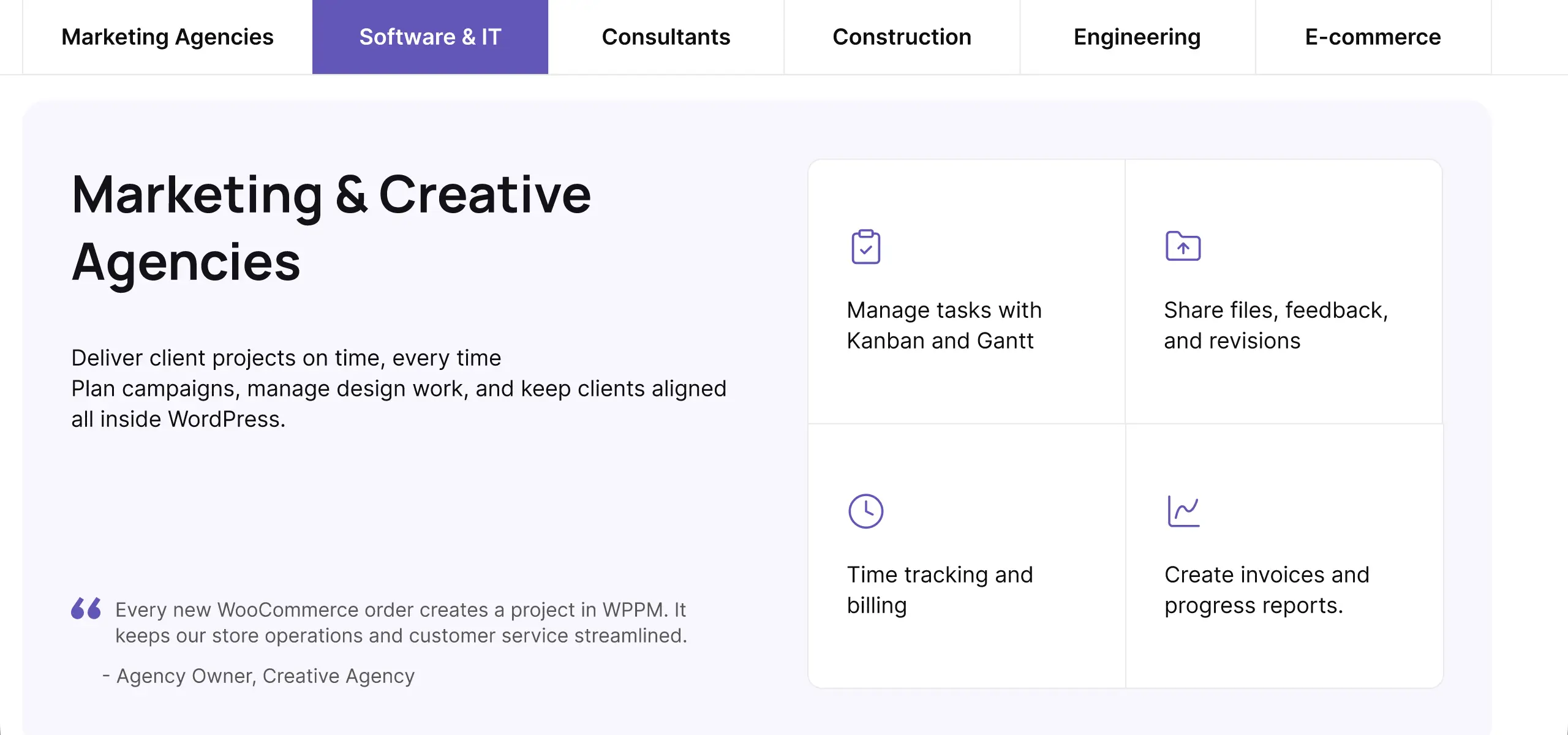
The WP Project Manager plugin is built to suit different types of users. Below, I have discussed them in detail.
- Agencies
WP Project Manager helps manage multiple client projects in one dashboard. You can assign different team members, track timelines, and even share project updates with clients directly. As a result, this could be a great option for agencies, especially for small and medium-sized agencies.
- Remote Teams
For managing remote teams, it provides real-time updates, task tracking, and clear communication. Team members can work from anywhere while staying connected through tasks, comments, and notifications.
- Freelancers
For freelancers, it works as a simple Task Management App inside WordPress. No matter if you are managing multiple clients simultaneously, you can manage personal projects, track time, and handle client tasks without paying for expensive SaaS tools.
Free vs Pro of WP Project Manager
Like most WordPress plugins, WP Project Manager also has a free version. For the test purpose, you may start with the free version. However, choosing between the free and Pro versions of WP Project Manager depends on your business needs. Check their differences:
| Feature | Free Version | Pro Version |
|---|---|---|
| Project Creation | Unlimited basic projects | Unlimited projects with advanced settings |
| Task Management | Create tasks and assign users | Advanced task options, priorities |
| Subtasks | ❌ Not available | ✅ Available |
| Milestones | ✅ Basic milestones | ✅ Advanced milestone control |
| Kanban Board | ❌ Not available | ✅ Included |
| Time Tracking | ❌ Not available | ✅ Built-in tracking |
| Gantt Chart | ❌ Not available | ✅ Full timeline view |
| File Sharing | ✅ Basic file uploads | ✅ Enhanced attachments |
| User Roles & Permissions | ✅ Standard roles | ✅ Custom permission roles |
| Notifications | ✅ Basic alerts | ✅ Advanced email notifications |
| Reporting | ❌ Not available | ✅ Detailed reports |
| Integrations | ⚠️ Limited | ✅ Extended integrations |
| Support | ⚠️ Community support | ✅ Priority support |
How to Set Up WP Project Manager for Smooth Workflow
Setting up WP Project Manager is simple and does not require technical expertise. With just a few steps, you can organize projects, assign tasks, and start managing your team efficiently. Following the setup properly ensures your workflow stays smooth from day one.
Step 01: Install and Activate WP Project Manager
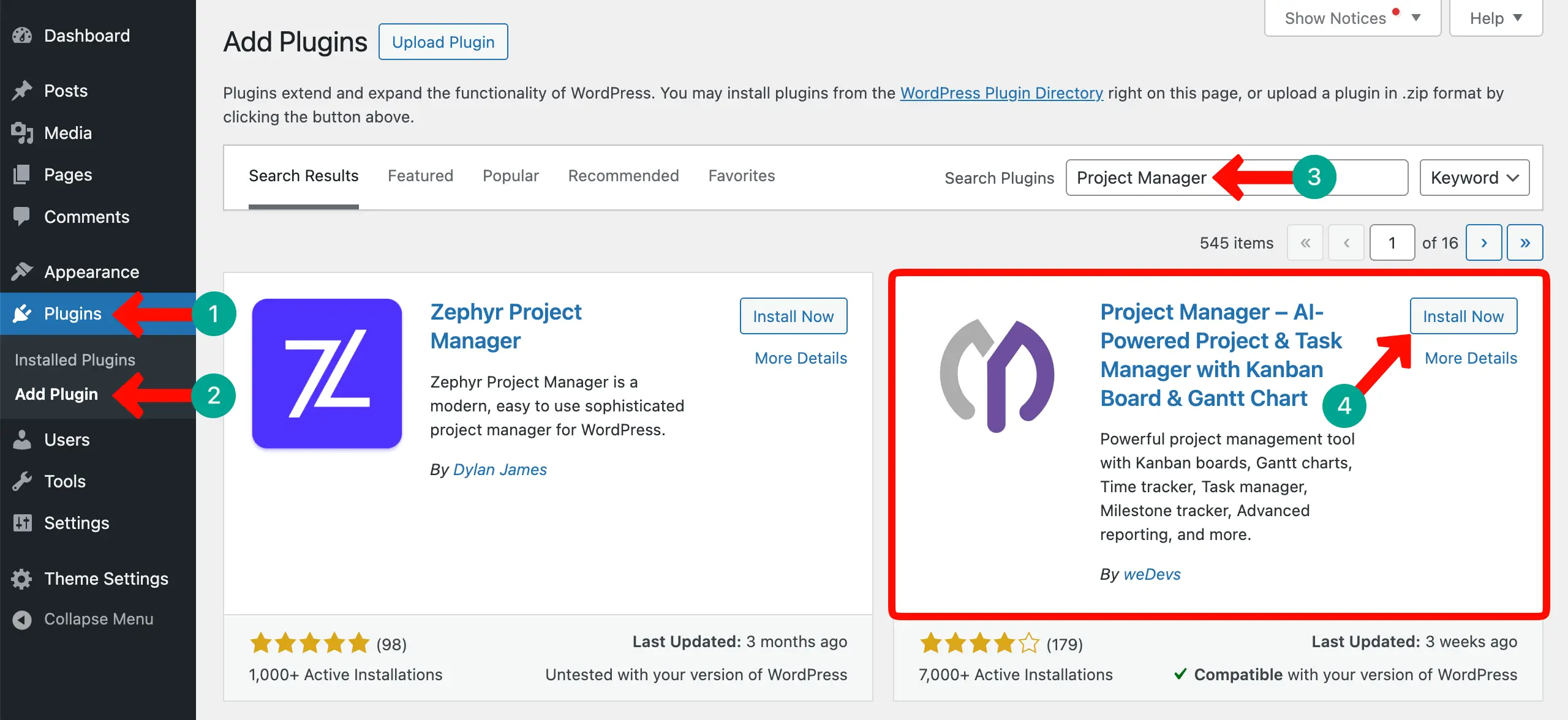
First, go to your WordPress dashboard and navigate to Plugins > Add New. Search for Project Manager, install it, and activate the plugin. Once activated, a new menu item appears on your dashboard for easy access to all project management features.
Once you like the free version, you may think of upgrading to the premium version. For upgrading, click the button attached below. This will take you to its pricing page, from where you can choose any plan you like.
If you are struggling, here is a detailed guide on how to activate the premium version of the WP Project Manager plugin.
Step 02: Create a Project and Task List
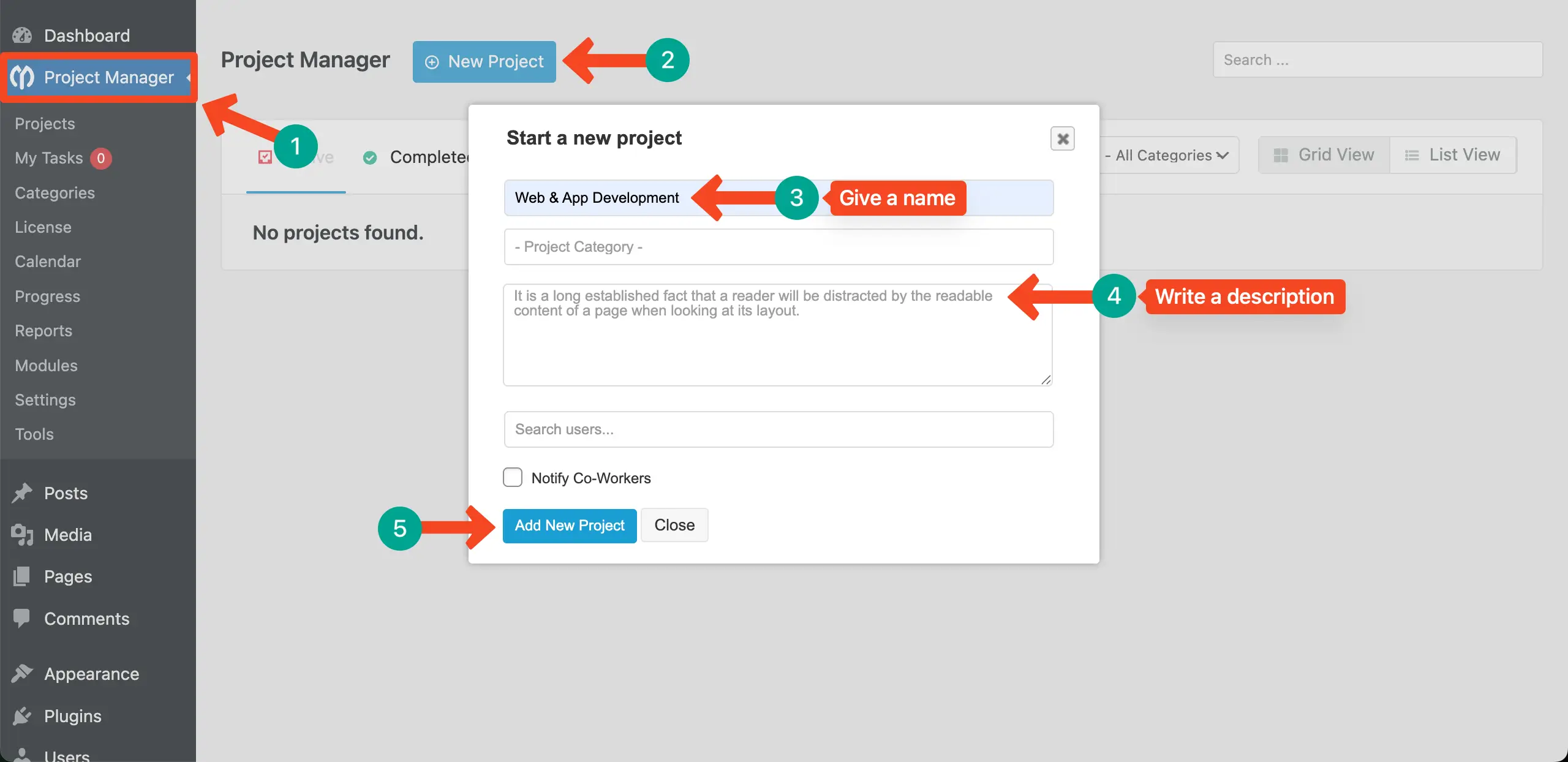
Click on the Projects menu and select Add New Project. Give your project a name, add a description, and set the start and end dates. This creates a structured space where all tasks, milestones, and discussions related to that project will be organized.
Step 03: Add Tasks and Assign Members
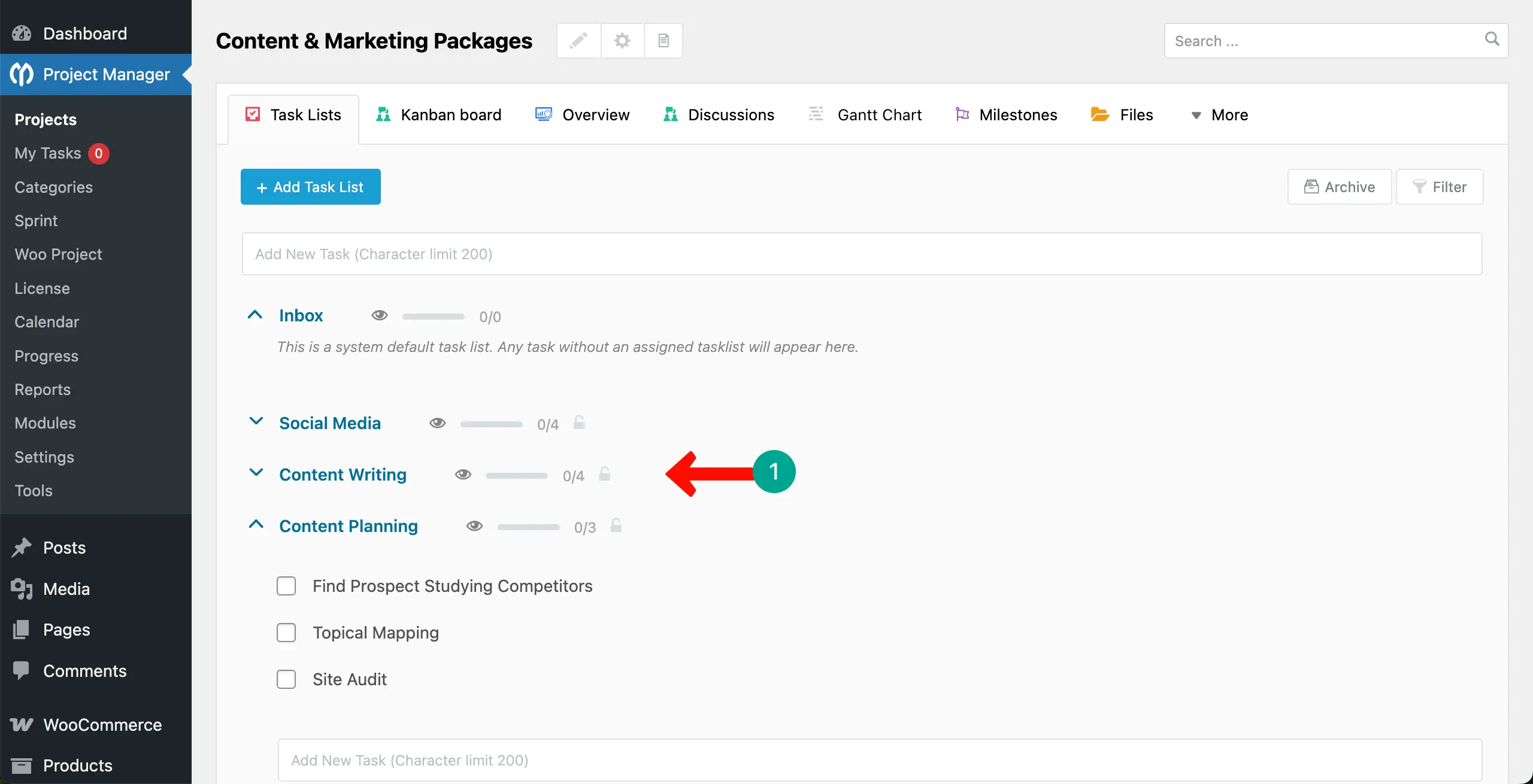
Inside your project, click Add Task List to create individual tasks. You can assign team members, set priorities, and attach files. Clear task assignment ensures everyone knows their responsibilities and deadlines from the start.
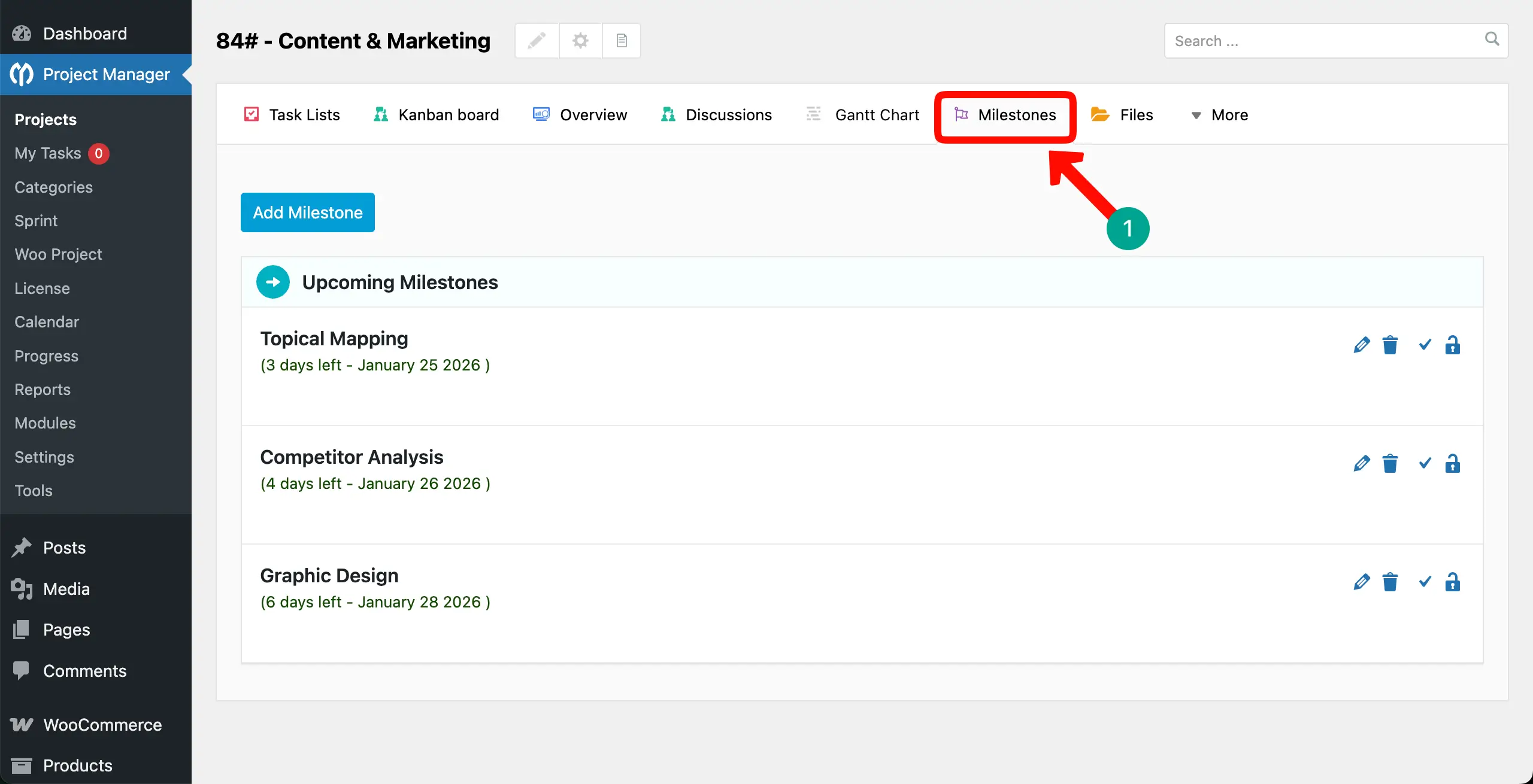
Step 04: Set Milestones and Track Progress
To keep projects on schedule, add milestones for important goals. Milestones break projects into achievable steps and help track overall progress. You can monitor completion rates and make adjustments to stay on track with deadlines.
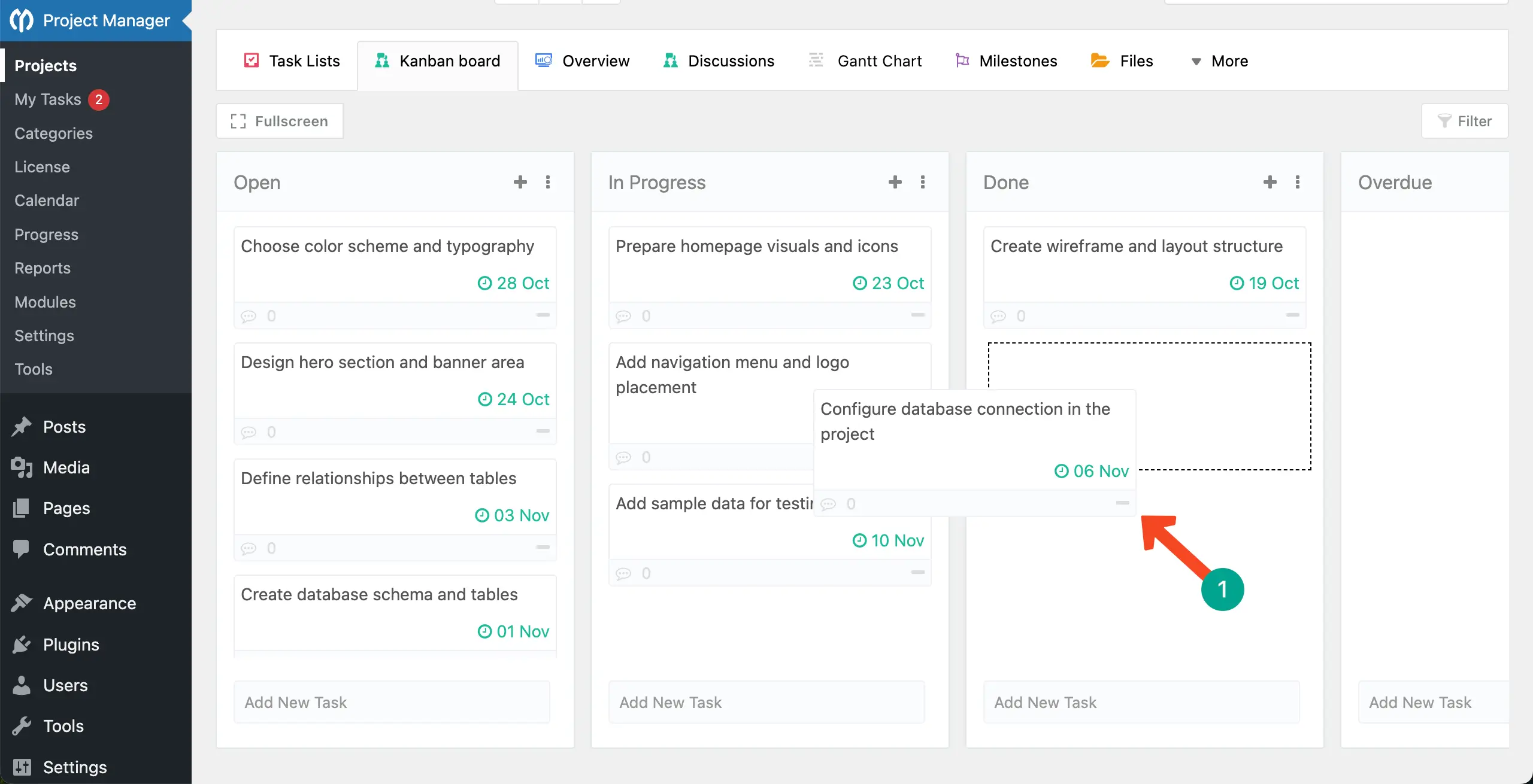
Step 05: Use Kanban Board for Visual Workflow
Switch to the Kanban Board view to see all tasks visually. Tasks are organized into columns like To Do, In Progress, and Completed. You can drag and drop tasks, giving your team a clear visual representation of project status and workflow efficiency.
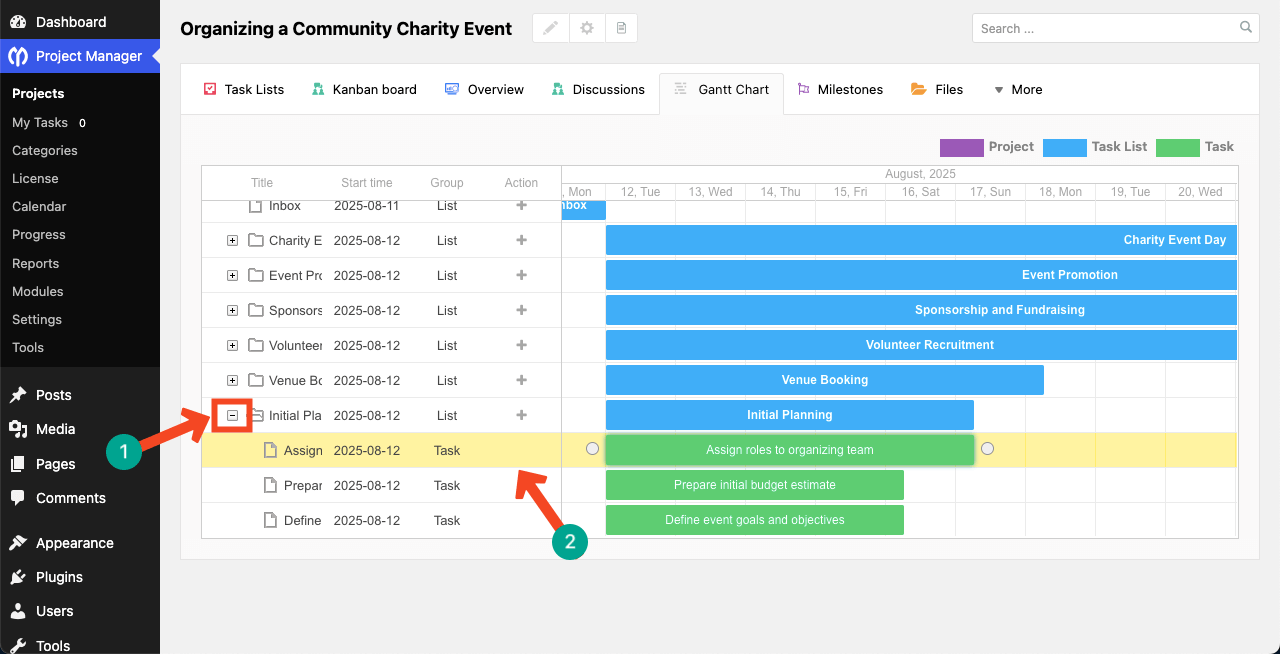
Step 06: Use a Gantt Chart for Deadline Visualization
By creating Gantt chart, you can take your project and task management workflow one step ahead as you can now display your deadlines much better.
There are many more features of the WP Project Manager plugin. I believe you can explore them alone by visiting our website and other blog posts.
Best Free Task Management Plugin for WordPress
In addition to WP Project Manager, you will find many other free task management plugins. So, for some time, let’s get familiar with some plugins.
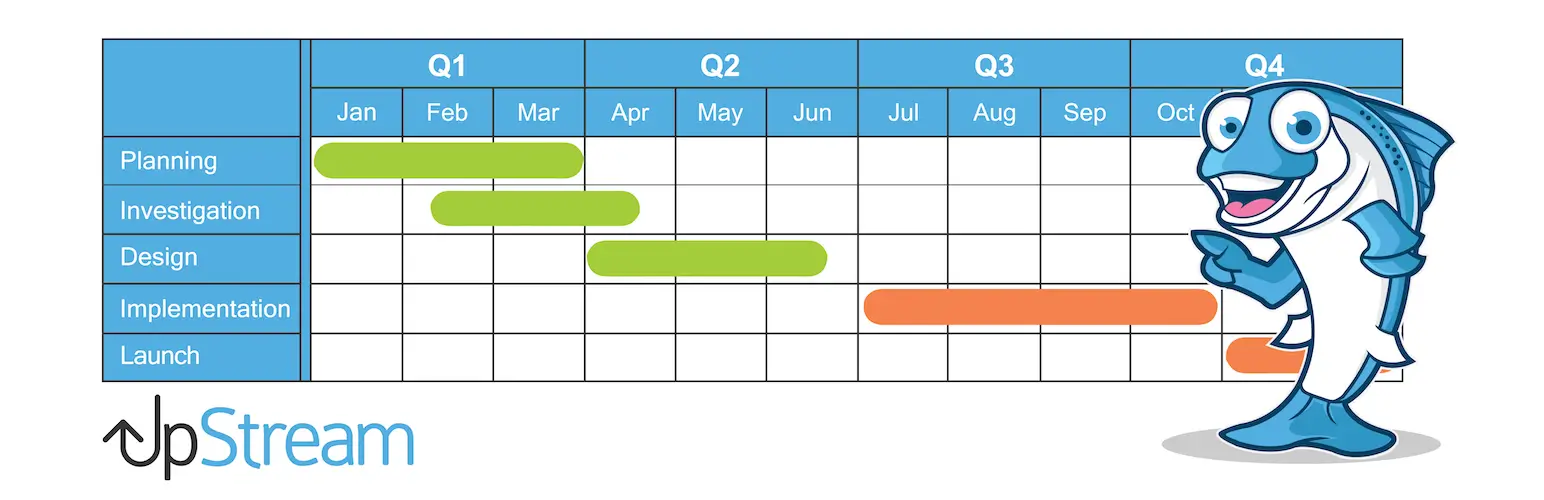
1. UpStream
UpStream lets you manage projects directly from your WordPress dashboard. You can track milestones, tasks, and project progress. It supports client access, so your clients can view updates without logging into WordPress fully.
2. Zephyr Project Manager
Zephyr Project Manager is simple and user-friendly. It allows task creation, assignment, and status tracking. Teams can collaborate easily using comments and file attachments, making project management smooth for small teams.

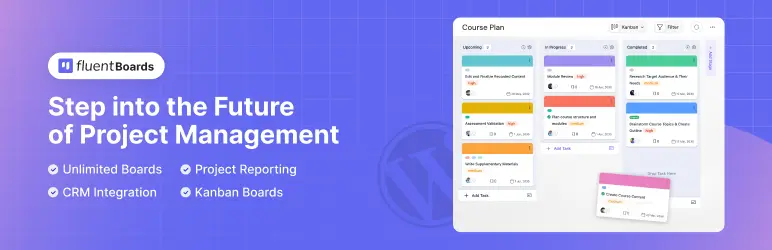
3. FluentBoards
FluentBoards is built like a Kanban board inside WordPress. You can create tasks, move them across stages, and monitor workflow visually. It’s perfect for teams that prefer visual task management over lists or spreadsheets.
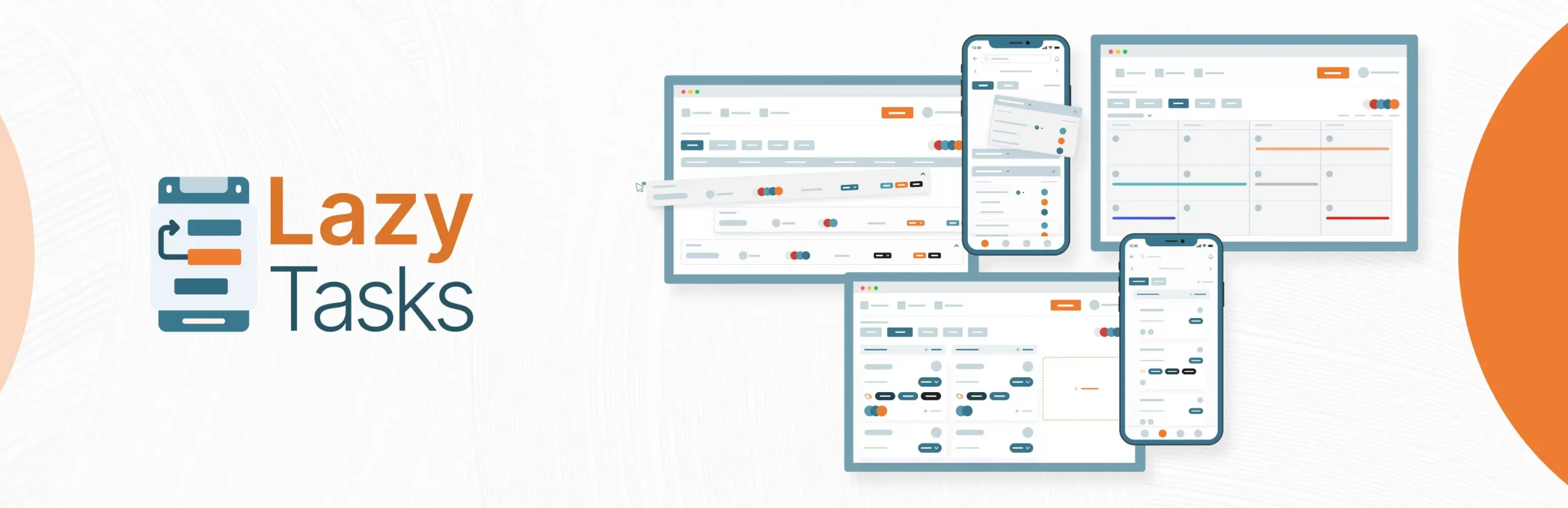
4. LazyTasks
LazyTasks is lightweight and straightforward. It allows adding tasks, assigning users, and tracking progress without extra clutter. Its simplicity makes it ideal for freelancers or small teams just starting with task management.
WP Project Manager vs Other WordPress Task Management Plugins
Here is a clear and comprehensive comparison table between WP Project Manager and four popular free WordPress task management plugins mentioned above.
| Feature / Plugin | WP Project Manager | UpStream | Zephyr Project Manager | FluentBoards | LazyTasks |
|---|---|---|---|---|---|
| Task Creation & Assignment | ✅ Yes, advanced | ✅ Yes | ✅ Yes | ✅ Yes | ✅ Yes |
| Milestones & Deadlines | ✅ Yes | ✅ Yes | ✅ Yes | ✅ Yes | ✅ Yes |
| Kanban Board | ⚠️ (Pro only) | ⚠️ (Pro only) | ✅ Yes | ✅ Yes | ✅ Yes |
| Time Tracking | ⚠️ (Pro only) | ⚠️ (Pro only) | ⚠️ (Pro only) | ⚠️ (Not Available) | ✅ Yes |
| Gantt Chart | ⚠️ (Pro only) | ⚠️ (Pro only) | ⚠️ (Pro only) | ⚠️ (Pro only) | ✅ Yes |
| File Sharing | ✅ Yes | ✅ Yes | ✅ Yes | ✅ Yes | ✅ Yes |
| Comments / Team Discussion | ✅ Yes | ✅ Yes | ✅ Yes | ✅ Yes | ✅ Yes |
| User Roles & Permissions | ✅ Yes | ✅ Yes | ✅ Yes | ✅ Yes | ⚠️ (Limited) |
| Client Access / Frontend View | ⚠️ (Pro only) | ✅ Yes | ⚠️ (Pro only) | ⚠️ (Pro only) | ⚠️ (Limited) |
| Third-Party Integrations | ⚠️ (Pro only) | ⚠️ (Limited) | ⚠️ (Pro only) | ✅ (Fluent Suite) | ⚠️ (Limited) |
| Mobile-Friendly UI | ✅ Yes (Web) | ✅ Yes (Web) | ✅ (Android App) | ✅ Yes (Web) | ✅ (iOS/Android) |
| Ease of Use for Beginners | ⭐⭐⭐⭐ | ⭐⭐⭐ | ⭐⭐⭐ | ⭐⭐⭐⭐⭐ | ⭐⭐⭐⭐ |
| Best For | Business ERP/Teams | Client Interaction | Modern UI/Apps | Visual Marketers | 100% Free Users |
| Free Version Strength | Task Management | Client Management | Project Tracking | Kanban/CRM Sync | Features vs Cost |
| Growth Potential (Pro Add-Ons) | High (ERP Sync) | Moderate | Moderate | High (CRM Sync) | Low (Stay Free) |
How to Choose the Right WordPress Task Management Plugin
Choosing the right WordPress task management plugin can make a huge difference in how smoothly your projects run. Not every plugin fits every team, so it’s important to evaluate your needs carefully before deciding. Consider the following points:
a. Team Size
Consider how many people will use the plugin. Some tools work better for small teams or freelancers, while others are built to handle large teams with multiple projects. Choosing a plugin that fits your team size ensures everyone can collaborate efficiently without performance issues.
b. Project Complexity
Think about the type of projects you manage. If your projects are simple, a lightweight plugin with basic task management may be enough. For more complex projects with milestones, dependencies, and multiple workflows, you need WP Project Manager.
c. Budget
Your budget will influence your choice. Free plugins can handle basic needs, but paid versions offer advanced features and support. Evaluate how much you are willing to spend and compare it with the benefits each plugin provides, including productivity improvements.
Take a look at the best and cheapest project managment software.
d. Required Integrations
Check which other tools your team uses, like email platforms, calendars, CRM, or accounting software. A plugin that integrates seamlessly with your existing workflow saves time and reduces manual effort. Integration options help you build a connected and efficient project management system.
FAQ on the Best WordPress Task Management Plugin
Let's take a look at some of the most frequently asked questions on Reddit, Quora, Facebook, and online forums, and my answers to them.

Yes, most plugins, including WP Project Manager, let you create unlimited projects and manage them simultaneously. You can track the progress of each project via individual reporting.
Yes, plugins like WP Project Manager allow you to add clients to specific projects so they can see progress without full admin access.
Yes, WP Project Manager allows you to upload all types of files and attach them to your team members and tasks as required.
Yes, you can integrate it with WooCommerce, Slack, GitHub, WP ERP, and many other popular tools.
Consider your team size, project complexity, budget, and required integrations. Choose a plugin that fits your workflow and growth needs.
Final Takeaways!
Managing projects without a proper system can waste time, cause confusion, and lower team productivity. This is why you can hardly ensure productivity and efficiency today without a feature-rich project management tool when you are working with numerous clients.
Although most people tend to use SaaS or Cloud-based project management tools, WordPress-based task managers like the WP Project Manager can also be considered as a great alternative, especially for those who are looking for a budget-friendly option.
If you love my blog post, I request you to share your kind and valuable opinion with me in the comment box below. Also, you can post questions if you have anything. I will get back to your queries very soon with viable answers.

