

Preview Registration and Login Forms Before Publishing
A- A+
With WPUF FREE, you will be able to preview your forms from the front before publishing.
Configuration
Simply go to User Frontend→Registration Forms→Open New or Edit existing form. In your Form Editor, the Preview feature is located on top, right beside the Save Form button.
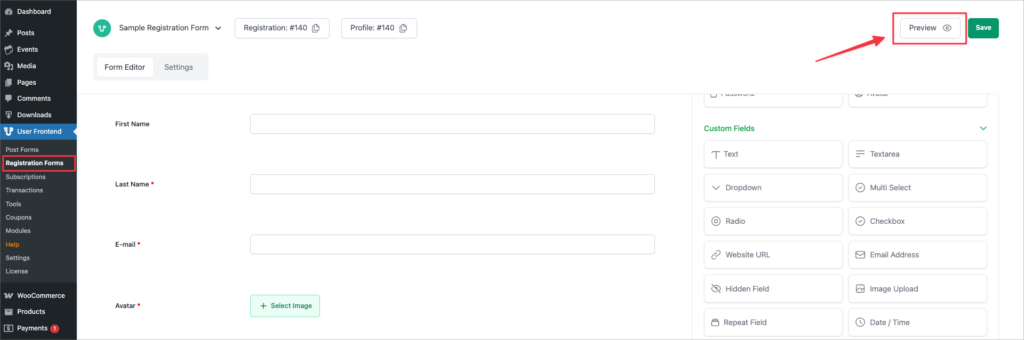
To view a preview, first click on Save Form after making changes to your form body.
Then click on Preview. You will be taken to a new tab where you can view the page from your web browser.
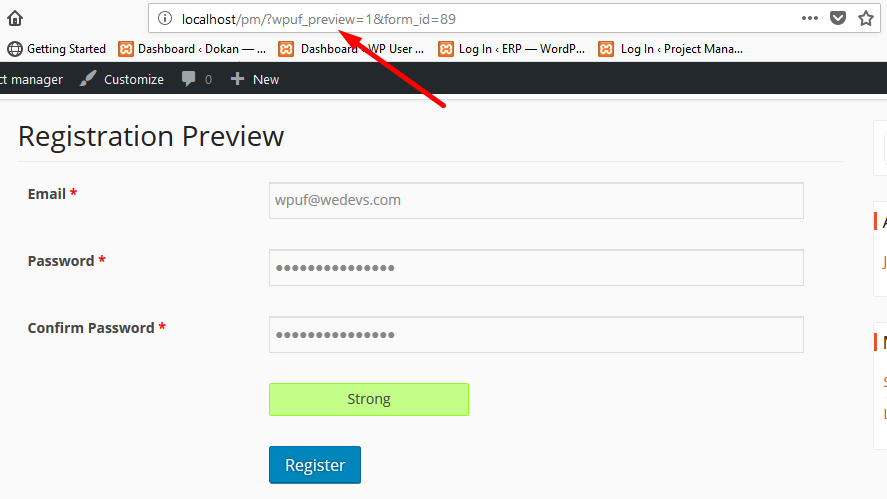
You can identify that it's a preview form from the link itself, as shown above.
WPUF allows you to submit entries from the preview form as well.
