There are thousands of WordPress plugins all over the internet. Though most of them are really useful in one way or another; only a handful of them have their own legacy.
These plugins have contributed massively to the journey of WordPress and helped the platform to become what it is today- adored and respected by the netizens.
If you are wondering what are the most popular WordPress plugins of all time, stay with us. Today, we are going to show you the most popular plugin list and their stats.
So, without any further delay, let's get started!
Note: We have prepared this list based on the WordPress repository- WordPress.org. All these plugins have the free versions listed in the repository.
How We Chose These Plugins
- Active installations first. We ranked plugins by the active installation figures shown on their official WordPress.org pages. We last checked every figure in November 2026.
- Installs are shown in bands. WordPress.org rounds active installs (for example, "5+ million"), so plugins in the same band are effectively tied. Downloads are lifetime totals and include updates.
- Ratings and reviews come from WordPress.org too. They are averages of user reviews on each plugin's page.
- The top tier has shifted. As of November 2026, LiteSpeed Cache (7+ million) and Site Kit by Google (5+ million) also sit in the top tier, and WP Mail SMTP, Rank Math SEO and UpdraftPlus (4+ million each) now have more active installs than Jetpack (3+ million). We kept this list's original ten and updated their stats.
- Honorary mentions are our own plugins. Dokan and WP ERP are built by weDevs. We list them separately because they lead smaller, specialized categories, not because of their overall install counts.
10 Most Popular WordPress Plugins of All Time
This is the list of the most popular WordPress plugins of all time. First, take a quick look at the list, then we will discuss each of the plugins in detail.
- Yoast SEO
- Elementor
- Contact Form 7
- Classic Editor
- WooCommerce
- Akismet
- WPForms
- Wordfence Security
- All-in-One WP Migration
- Jetpack
Now let's get into the details!
01. Yoast SEO

WordPress was already an SEO-friendly platform but Joost de Valk and his team decided to take it to the next level. They created Yoast SEO plugin that would take care of all the technical optimization aspects of a website.
The impact has been massive since Yoast was introduced in the market. Bloggers now write better content with their SEO copywriting instructions. Webmasters can optimize the pages with meta descriptions and tags easily. XML sitemaps and RSS features are better used for increasing page ranks.
Running an online store? Pair Yoast with these SEO tips for eCommerce product pages.
More than 10 million websites actively use Yoast to outperform their competition in the SEO battle. These stats should give you an idea of how popular this plugin is and what a massive legacy it has created in WordPress.
Yoast SEO Stats at a Glance
- Downloads: 1,025,137,146+
- Active Installs: 10+ Millions
- Average Rating (Out of 5): 4.8
- Number of Reviews: 27,821
Related: Best WordPress SEO Plugins to Boost Your Site Visibility.
02. Elementor
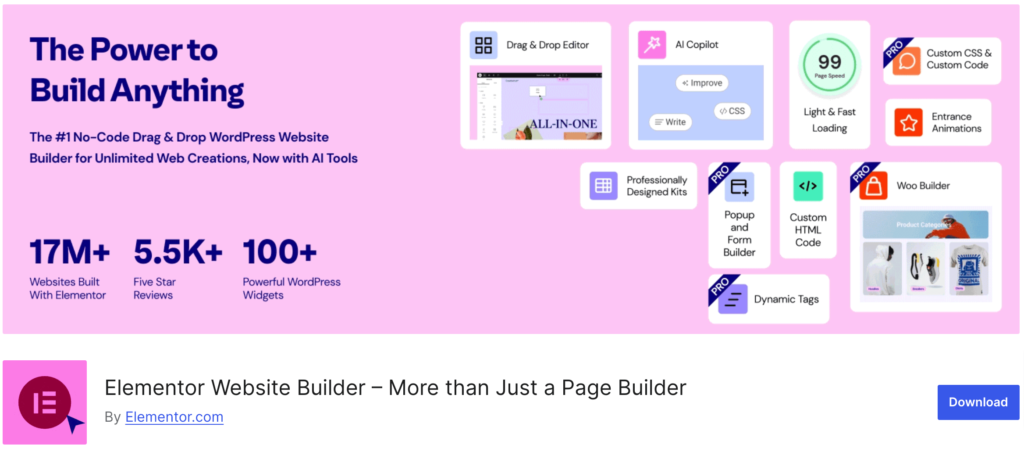
Elementor is a super popular WordPress plugin that makes building websites a breeze, even if you don't know how to code.
With its easy drag-and-drop interface, you can create beautiful, custom web pages by simply moving elements like text, images, and buttons exactly where you want them. Plus, you can see your changes in real-time, so there's no guesswork involved.
On WordPress.org, the plugin is now listed as "Elementor Agent Ready Website Builder", but it is the same Elementor page builder.
One of the best things about Elementor is its huge library of pre-designed templates. Whether you need a stylish homepage, a cool contact page, or anything in between, there's a template for that. It's also compatible with a ton of different themes and plugins, so you can be sure it'll fit right into your existing site.
Elementor Stats at a Glance
- Downloads: 923,961,420+
- Active Installs: 10+ Millions
- Average Rating (Out of 5): 4.5
- Number of Reviews: 7,328
03. Contact Form 7

In the mid-last decade, WordPress author Takayuki Miyoshi released Contact Form 7. It did not take any time to become popular since it was the first-ever complete form plugin that people could use for free.
Its revolutionary success inspired hotshot companies and authors to come up with new form plugins like Ninja Forms, Gravity Forms, WPForms, and the list goes on.
The name “contact form” has become so popular that it has taken over as the generic name for the “form builder plugin”.
In terms of feature, it might not give you a lot but you can easily design multiple contact forms and edit contents with it. If you want to integrate it with other popular services; you need to use 3rd party plugins for that.
Contact Form 7 Stats at a Glance
- Downloads: 435,981,323+
- Active Installs: 10+ Millions
- Average Rating (Out of 5): 4
- Number of Reviews: 2,189
04. Classic Editor
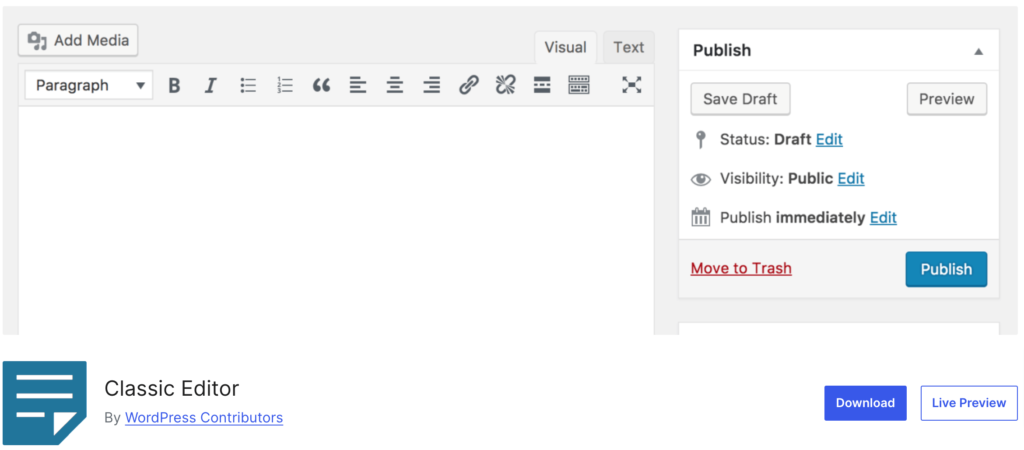
The Classic Editor is a must-have WordPress plugin for those who prefer the old-school way of creating and editing posts. It brings back the familiar WordPress editor interface that many users know and love, making it simple to write and format your content.
With Classic Editor, you get the straightforward, no-frills editing experience that existed before the introduction of the new Gutenberg block editor.
Classic Editor is an official plugin maintained by the WordPress team. Its WordPress.org page says it will be supported "until 2024, or as long as is necessary", and it was still receiving updates in 2026. Its active installs have dipped from 10+ million to 8+ million as more sites move to the block editor.
This plugin is perfect for anyone who finds the new block-based editor too complicated or just prefers the traditional way of doing things. It ensures that all your plugins and themes that depend on the old editor will still work seamlessly.
Classic Editor Stats at a Glance
- Downloads: 94,586,861+
- Active Installs: 8+ Millions
- Average Rating (Out of 5): 4.9
- Number of Reviews: 1,252
05. WooCommerce

WooCommerce is the go-to WordPress plugin for anyone looking to turn their website into a fully functional online store. It's packed with features that make setting up and managing your eCommerce site a breeze.
With WooCommerce, you can sell anything from physical products to digital downloads, subscriptions, and even appointments, all while keeping control over your data and customer information.
One of the best things about WooCommerce is its flexibility. It comes with a variety of customization options, allowing you to tailor your store to fit your brand perfectly. Plus, there are tons of extensions and themes available to add extra functionality and style to your shop.
WooCommerce Stats at a Glance
- Downloads: 477,460,916+
- Active Installs: 7+ Millions
- Average Rating (Out of 5): 4.5
- Number of Reviews: 4,834
Also Read: Best Free WooCommerce Plugins for Your Online Store.
06. Akismet

The Akismet plugin (now listed on WordPress.org as "Akismet Anti-spam: Spam Protection") is developed by Automattic, the company behind WordPress.com. It checks both comments and contact form submissions.
Akismet uses a web service powered by cloud servers that test comments for spam. All comments posted on your site are automatically sent to Akismet’s servers.
If its highly specialized algorithm detects spam comments, it moves it to the spam queue. Otherwise, it stores the comment in the moderation queue and you get to decide its fate manually.
You need an Akismet API key to use it. According to its WordPress.org page, keys are free for personal blogs, and paid subscriptions are available for businesses and commercial sites.
Akismet Stats at a Glance
- Downloads: 409,143,856+
- Active Installs: 5+ Millions
- Average Rating (Out of 5): 4.7
- Number of Reviews: 1,186
07. WPForms
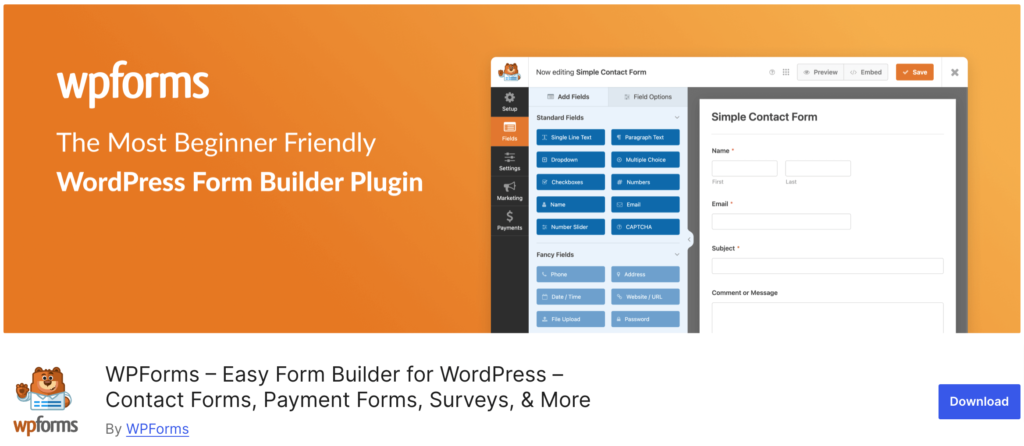
WPForms is like a magic tool for building forms on your website without needing to know any fancy computer stuff. Imagine you want to create a contact form, a survey, or even a way for people to pay you online.
Instead of hiring a programmer, you can use WPForms to drag and drop different parts of your form together, like building with blocks
It's super easy to use and comes with lots of cool features. You can make your forms look exactly how you want, send yourself emails when someone fills it out, and even connect it to other tools to do more things. It's like having a personal assistant helping you build forms that actually work.
WPForms Stats at a Glance
- Downloads: 372,002,343+
- Active Installs: 5+ Millions
- Average Rating (Out of 5): 4.8
- Number of Reviews: 14,395
08. Wordfence Security

Wordfence describes itself on WordPress.org as the most popular WordPress firewall and security scanner. It comes with vital security features like IP blocking, security scanning, firewall, login security, and overall security monitoring for your website.
You do not need to do any kind of coding to use the plugin interface. After installation, you can do a deep server scan with WordFence. It checks your website's source code for any infection or malicious element.
WordFence lets you block IP addresses, enforce strong passwords, create custom alerts, threat defense feeds, and many other things. It also supports two-factor authentication and passkeys. Note that in the free version, new firewall rules and malware signatures arrive 30 days after Premium users get them.
Wordfence Stats at a Glance
- Downloads: 438,529,669+
- Active Installs: 5+ Millions
- Average Rating (Out of 5): 4.7
- Number of Reviews: 5,057
Related: Best WordPress Security Plugins for Your Website (FREE).
09. All-in-One WP Migration

All in One WP Migration is an incredibly handy WordPress plugin that makes moving your website to a new host or domain super easy. With just a few clicks, you can export your entire site, including the database, media files, plugins, and themes.
Then, simply import the file to your new location, and voilà, your site is up and running without any hassle.
What sets All in One WP Migration apart is its user-friendly interface and reliability. The free plugin backs up and exports sites of any size, processing them in small chunks. However, importing for free depends on your host's upload size limit, so a very large backup may not go through. The paid Unlimited Extension adds one-click restore and gets around that limit.
All in One WP Migration and Backup Stats at a Glance
- Downloads: 193,772,095+
- Active Installs: 5+ Millions
- Average Rating (Out of 5): 4.5
- Number of Reviews: 7,678
Also Read: BlogVault Review: Is It the Best WordPress Backup Plugin?
10. Jetpack

Jetpack is a versatile WordPress plugin that brings a suite of powerful features to your website, enhancing security, performance, and site management. Created by the team behind WordPress.com, Jetpack offers a range of tools to help you optimize and protect your site.
From automatic backups and malware scanning to performance enhancements like image optimization and lazy loading, Jetpack ensures your site runs smoothly and securely.
One of Jetpack's standout features is its comprehensive site analytics, giving you insights into your traffic and user engagement without needing to install additional plugins. It also includes social media tools to help you promote your content and engage with your audience.
In 2026, Jetpack also lets you connect your site to AI agents such as ChatGPT and Claude, so you can check stats, backups and security scans in plain language. Real-time backups, one-click malware fixes and advanced stats need a paid plan.
Jetpack Stats at a Glance
- Downloads: 517,363,767+
- Active Installs: 3+ Millions
- Average Rating (Out of 5): 3.7
- Number of Reviews: 2,413
Honorary Mention 01: Dokan – Most Popular Multivendor Marketplace Plugin

Dokan is a leading plugin for building multivendor marketplaces on WordPress. It lets anyone create their own marketplace where multiple vendors can sell products, manage stores, and track sales. With 30,000+ active installations on WordPress.org and a 4.6 out of 5 average rating, it’s trusted by businesses worldwide.
You can set up a marketplace quickly without touching code. You can build marketplaces for physical products, digital downloads, bookings, auctions or subscriptions. It includes features like vendor dashboards, commissions, shipping management, and more. Dokan is flexible and works well for both small and large online marketplaces.
If you want a WordPress plugin to create a professional multivendor marketplace, Dokan is one of the top choices.
Honorary Mention 02: WP ERP – Most Popular ERP Plugin

WP ERP is a powerful WordPress plugin for managing business operations. It covers HR, CRM, and Accounting all in one system. With 4,000+ active installations on WordPress.org, it is the most popular ERP plugin in its category.
You can handle employee management, customer relationships, and finances without leaving WordPress. It’s beginner-friendly but also scalable for growing businesses. The plugin comes with extensions that let you add extra features as your business needs evolve.
If you want a complete ERP solution inside WordPress, WP ERP is a reliable and easy-to-use option.
To see how it compares on price with Odoo, Zoho and other low-cost tools, read our guide to the cheapest ERP systems for small businesses.
Check More About WP ERP Plugin
FAQs on Most Popular WordPress Plugins
What are the must-have WordPress plugins for beginners?
For beginners, essential plugins include Yoast SEO for search optimization, Wordfence for security, Elementor for page building, UpdraftPlus for backups, and WPForms for creating forms easily.
Are free plugins good enough, or should I pay for premium versions?
Many free plugins are powerful and enough for small to medium websites. Premium versions usually offer extra features, better support, and advanced customization options, which are useful for larger or business-critical sites.
How do I know if a WordPress plugin is safe to use?
Check the plugin’s ratings, reviews, number of active installations, and how frequently it’s updated. Plugins from the official WordPress repository are generally safe, but always back up your site before installing anything new.
Can too many plugins slow down my WordPress site?
Yes. Each plugin adds code that can impact performance. Use only the plugins you need, keep them updated, and consider lightweight alternatives if speed is a concern.
How often should I update my WordPress plugins?
You should update plugins whenever a new version is released. Updates include security patches, bug fixes, and new features. Regular updates help keep your site secure and running smoothly.
How is plugin popularity measured on WordPress.org?
Each plugin page on WordPress.org shows active installations, which count sites running the plugin. The figure is rounded into bands such as "5+ million". Total downloads are also shown in the plugin's stats, but they include every update, so active installs are a better measure of real use.
Which is the most popular WordPress plugin in 2026?
As of November 2026, Elementor, Yoast SEO and Contact Form 7 each show 10+ million active installations on WordPress.org. Because WordPress.org doesn't show exact numbers above that band, the three are effectively tied at the top.
Which Popular WordPress Plugin Do You Like Most?
Now you know which plugins are the most popular WordPress plugins in terms of active users. That being said, here is a quick recap of the most popular WordPress plugins:
- Yoast SEO – Best WordPress SEO Plugin
- Elementor – Drag-and-Drop Page Builder
- Contact Form 7 – Simplest Contact Form Plugin
- Classic Editor – Bringing Back the Old WordPress Editor
- WooCommerce – Powerful eCommerce Solution for WordPress
- Akismet – Trusted Spam Protection for Your Blog
- WPForms – Beginner-Friendly Form Builder
- Wordfence Security – Comprehensive Security for WordPress
- All-in-One WP Migration – Easiest Way to Move Your WordPress Site
- Jetpack – All-in-One Security, Performance, and Site Management
So, which plugin do you like most? Share your thoughts using the comment box below. We are looking forward to your feedback.
Meanwhile, you can check our other interesting blogs like best WordPress blog themes, must have WordPress plugins, and best plugins for content marketing. Thank you!